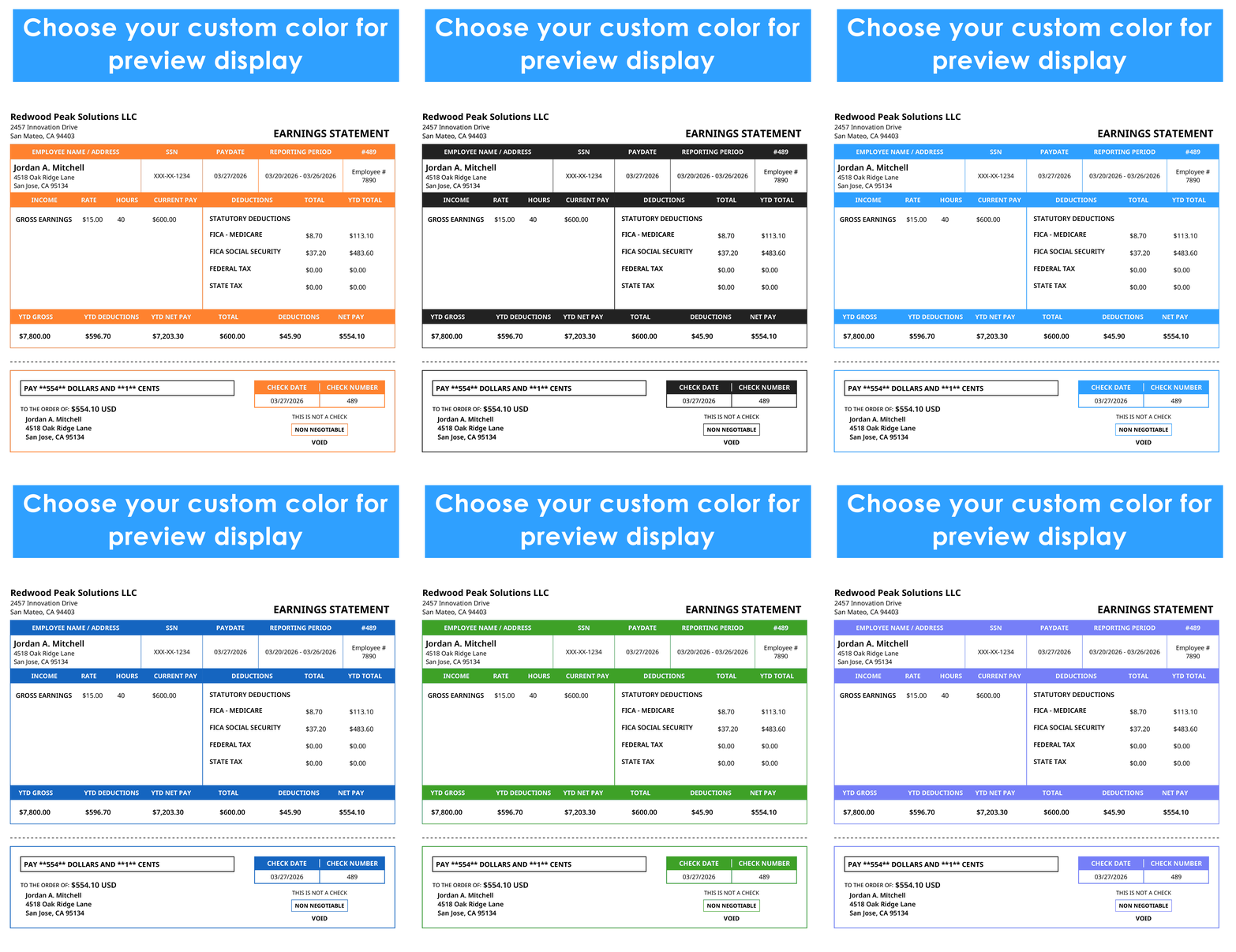
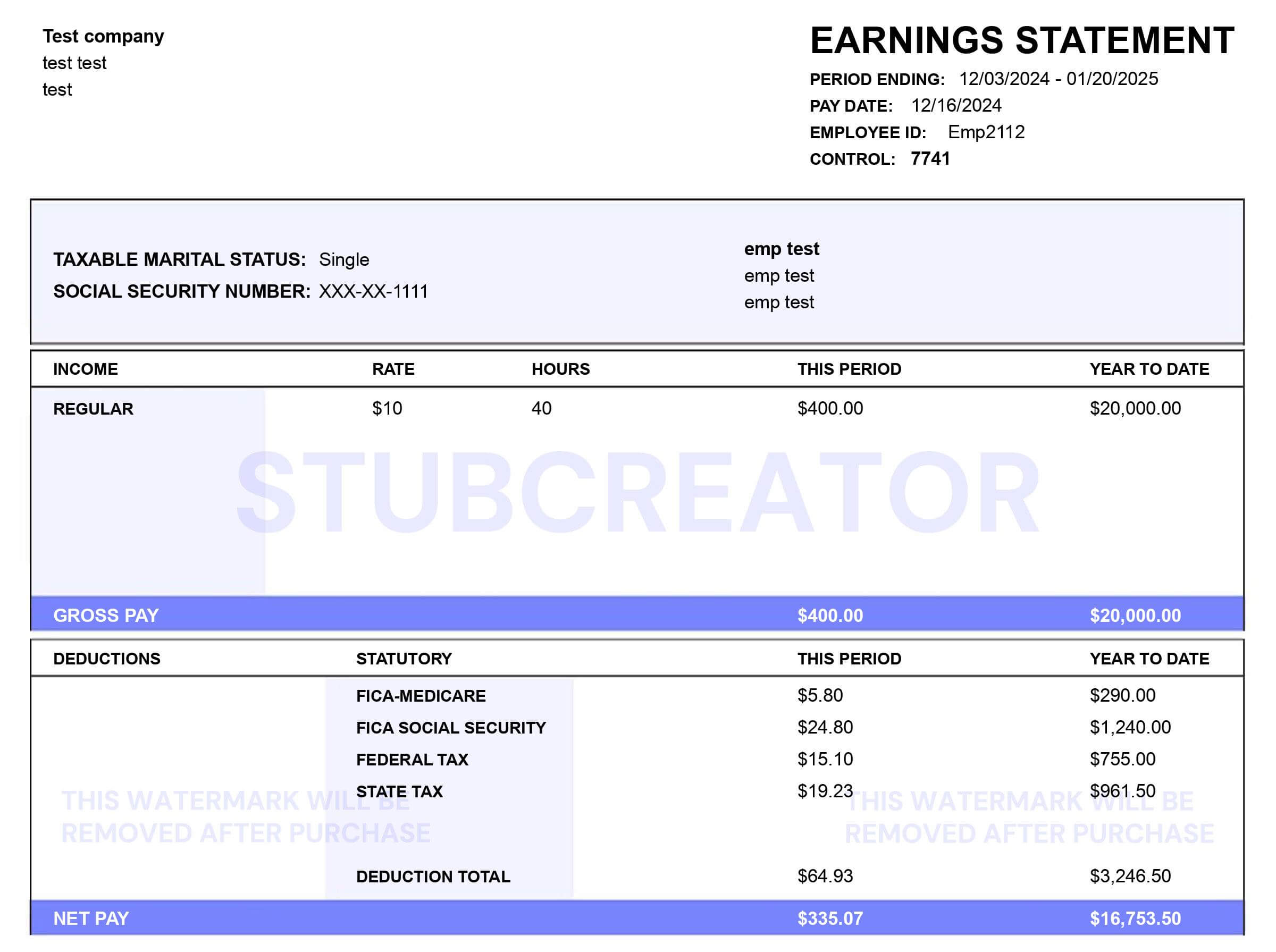
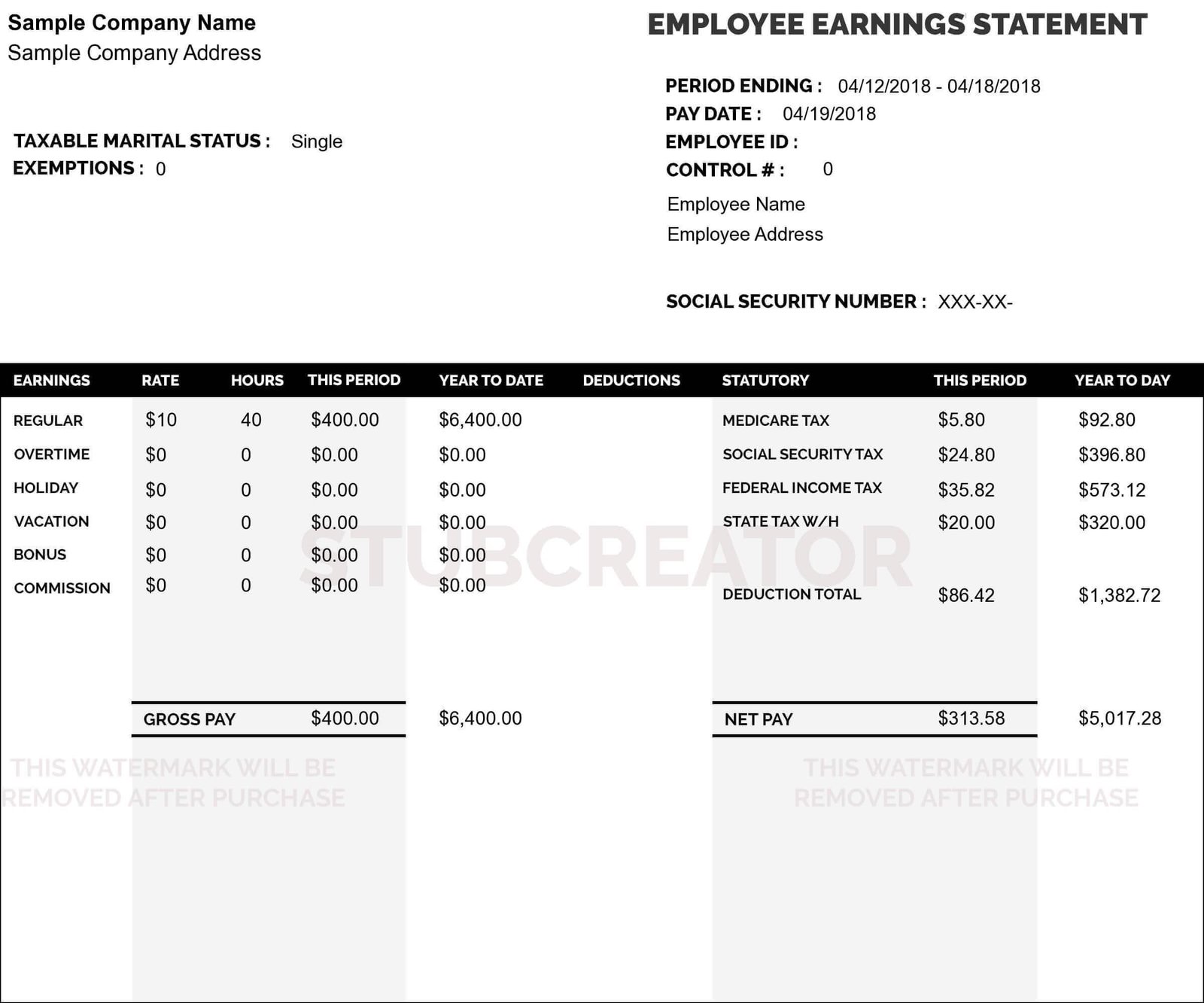
Understanding Employer & Employee ID Numbers on Check Stubs

Jul 18th, 2024

Employer and Employee ID Numbers (EINs) are crucial identifiers used in payroll and tax systems to distinguish individuals and businesses. In this comprehensive guide, we will delve into what these numbers entail, how to find them, and their significance on check stubs.

What Is an Employee ID Number?

An Employee ID Number, commonly referred to as an employee ID numbers or employee ID, is a distinctive numerical identifier allocated to each employee within a company. This unique code plays a crucial role in payroll processing, HR management, and maintaining comprehensive employee records. It serves as a fundamental component in systems integrated with paystub generator, ensuring accurate documentation and facilitating streamlined administrative processes.

How to Find Employee ID Numbers?

Finding your Employee ID Number typically involves the following steps:

  1. Check Your Pay Stub: Your Employee ID Number is often printed on your pay stub alongside other payroll details.
  2. HR or Payroll Department: Contact your company’s HR or payroll department if you cannot locate your Employee ID Number on your pay stub. They can provide assistance in retrieving this information.
  3. Employee Portal or HR Software: Many organizations provide access to employee portals or HR software where employees can view and also update their personal information, including their Employee ID Number.

Related Article: Understand DG Paystubs

What Is an Employer Identification Number (EIN)?

An Employer Identification Number (EIN), also known as a Federal Employer Identification Number (FEIN) or Tax ID Number, is a specific nine-digit code issued by the IRS to businesses and entities operating within the United States. This unique identifier is essential for tax reporting and serves as a crucial element in business identification processes. Integrated with paycheck generator, the EIN ensures accurate financial documentation and facilitates efficient management of payroll and tax-related obligations.

How to Find Federal Employer Identification Number?

Businesses can find their EIN through various methods:

  1. IRS Notification: Businesses receive their EIN from the IRS upon registering for tax purposes. The IRS sends a confirmation letter that includes the EIN.
  2. Business Documents: The EIN is typically listed on various business documents, such as tax returns, payroll records, and banking documents.
  3. IRS Online Services: Businesses can use the IRS’s online services, such as the EIN Assistant tool, to look up their EIN if they have misplaced the original notification letter.

Does the Check Stub Have My Employer’s EIN?

Yes, your check stub typically includes your employer’s EIN, also known as the Employer Identification Number. This nine-digit identifier is crucial for tax purposes and is prominently displayed alongside other important payroll details on your pay stub. The EIN allows both employees and employers to accurately report income, deductions, and withholdings to the IRS. It ensures compliance with tax regulations and provides a clear record of earnings that is essential for financial planning and filing tax returns. Understanding and verifying the presence of your employer’s EIN on your pay stub is important for maintaining accurate financial records and also fulfilling tax obligations efficiently.

Read More: How to Access Your MyHTSpace Pay Stub?

Difference Between Employer ID Number And Employee ID Number

While both types of IDs serve to identify individuals or entities, there are key differences:

  • Employee ID Number: Assigned to individual employees within an organization for HR and payroll purposes.
  • Employer Identification Number (EIN): Assigned to businesses and other entities by the IRS for tax reporting and business identification.

The Employee ID Number pertains specifically to an individual’s role within an organization, whereas the Employer Identification Number identifies the business entity itself for tax and regulatory purposes.

Importance of Understanding ID Numbers on Check Stubs

Understanding and correctly identifying Employee and Employer ID Numbers on check stubs is crucial for:

  • Tax Compliance: Ensuring accurate tax reporting and withholding.
  • Payroll Processing: Facilitating smooth payroll operations and employee record-keeping.
  • Employee Management: Streamlining HR processes and maintaining accurate employee records.
  • Business Identification: Meeting regulatory requirements and business identification needs.

Final Thoughts on Employee ID on Paystub

In summary, both Employee Identification Numbers (Employee IDs) and Employer Identification Numbers (EINs) serve critical functions in the realms of payroll, tax reporting, and overall business operations. For employees, the Employee ID Number is a unique identifier assigned within an organization, essential for HR management, payroll processing, and employee record-keeping. It typically appears on pay stubs, providing employees with a clear reference point for their earnings and deductions.

On the other hand, businesses and entities operating in the United States are assigned an Employer Identification Number (EIN) by the IRS. This nine-digit identifier is pivotal for tax purposes, enabling businesses to report income, deductions, and other financial details accurately. Employers can find their EIN through official IRS correspondence, tax documents, or online services provided by the IRS.

Understanding the distinction between Employee IDs and EINs is crucial for maintaining compliance with tax regulations and facilitating efficient business operations. Employees rely on their Employee IDs to access company benefits, track earnings, and ensure accurate tax filings. Employers, meanwhile, use their EINs to fulfill tax obligations, manage payroll effectively, and maintain regulatory compliance.

By grasping the importance of these identification numbers, both employees and employers can streamline administrative processes, enhance financial transparency, and contribute to the overall efficiency of their respective roles within the organizational framework. This understanding not only supports smooth HR management and payroll operations but also ensures accurate reporting to regulatory bodies, fostering a robust foundation for sustainable business practices.

Frequently asked Questions (FAQs) about Employee and Employer Identification Numbers (EINs)

What is an Employer id Numbers (EIN), and why is it important on my pay stub?

An EIN is a unique nine-digit identifier issued by the IRS to businesses for tax purposes. It’s crucial on your pay stub as it helps identify your employer for tax reporting and compliance.

Where can I find my employer’s EIN on my pay stub?

Your employer’s EIN is typically located alongside other payroll details, often near your personal information or deductions section. It’s essential for accurately reporting income to the IRS.

How do I verify the accuracy of my employer’s EIN on my pay stub?

You can cross-check your employer’s EIN on your pay stub with official tax documents provided by your employer or through IRS resources like tax filings and also documentation.

Can I use my employer’s EIN for tax filing purposes?

Yes, your employer’s EIN is used when filing your taxes. It ensures that the income reported on your pay stub matches the records maintained by the IRS for accurate tax reporting.

What should I do if I can’t find my employer’s EIN on my pay stub?

If you cannot locate your employer’s EIN on your pay stub, first check with your HR or payroll department for assistance. They can provide you with the correct EIN or guide you on where to find it. It’s essential for accurate tax reporting and financial record-keeping.

How to Access Your MyHTSpace Pay Stub?

Jul 17th, 2024

For Harris Teeter employees, accessing your pay stub is essential for managing your finances, verifying income, and preparing for tax season. Harris Teeter has made this process convenient through the MyHTSpace portal. In this detailed guide, we’ll explain how to access your pay stubs using MyHTSpace, along with the benefits of keeping track of your earnings.

What is MyHTSpace?

MyHTSpace, or My Harris Teeter Space, is an online portal designed for Harris Teeter employees. It provides access to various employment-related information, including work schedules, benefits, pay stubs, and features like a paystub generator.This portal is user-friendly and secure, ensuring that employees can manage their employment details efficiently.

Why Access Your Pay Stubs?

Pay stubs are important for several reasons:

  • Income Verification: Necessary for loan applications, renting an apartment, or any situation where you need to prove your income.
  • Financial Management: Helps you track your earnings and deductions, enabling better budgeting and financial planning.
  • Tax Preparation: Provides the necessary information for accurate tax filing, including your earnings and tax withholdings.

Steps to Access Your My HT Space Pay Stub

Follow these steps to access your pay stub through the MyHTSpace portal:

MyHTSpace pay stubs

1. Registering for MyHTSpace

If you haven’t registered for MyHTSpace yet, follow these steps to create an account:

  1. Visit the MyHTSpace Website: Open your web browser and go to the MyHTSpace portal. You can find it by searching for “MyHTSpace” or directly through the Harris Teeter website.
  2. Click on Register: On the login page, look for the “Register” or “Create an Account” link and click on it.
  3. Enter Your Information: You will need to provide personal details, including your employee ID, Social Security Number (SSN), and email address. Follow the prompts to complete the registration process.
  4. Create a Username and Password: Choose a secure username and password for your account. Make sure to remember these credentials for future logins.
  5. Verify Your Account: Harris Teeter may send a verification link to your email. Click on this link to verify your account and complete the registration process.

2. Logging into My HT Space

Once you have registered, you can log into your MyHTSpace account:

  1. Go to the MyHTSpace Login Page: Open your web browser and navigate to the MyHTSpace login page.
  2. Enter Your Credentials: Input your username and password. Make sure your caps lock is off, and you enter the correct details.
  3. Security Verification: You may be required to complete additional security verification, such as answering security questions or entering a code sent to your email or phone.
  4. Login: Click on the “Login” or “Sign In” button to access your account.

3. Navigating to Your Pay Stubs

After logging into your MyHTSpace account, follow these steps to view your pay stubs:

  1. Find the Payroll Section: On the MyHTSpace dashboard, look for a section labeled “Payroll” or “Pay Stubs.” This is usually located in the main navigation menu.
  2. Select Pay Stubs: Click on the “Pay Stubs” link to view your pay stub history.
  3. Choose the Pay Period: You will see a list of pay periods. Select the pay period you want to view by clicking on the corresponding date.
  4. View or Download: Once you select a pay period, you can view the pay stub details on the screen. You also have the option to download the pay stub as a PDF or print it for your records.

More Article: How to Get a McDonald’s Pay Stubs

Troubleshooting Common Issues

If you encounter any problems while accessing your MyHTSpace pay stub, here are some common solutions:

Forgotten Password

If you forget your password, you can reset it by following these steps:

  1. Click on Forgot Password: On the MyHTSpace login page, click on the “Forgot Password” link.
  2. Enter Your Email: Provide the email address associated with your MyHTSpace account.
  3. Follow the Prompts: Harris Teeter will send a password reset link to your email. Click on the link and follow the prompts to create a new password.

Access Issues

If you have trouble accessing the MyHTSpace portal, consider the following:

  • Check Your Internet Connection: Ensure you have a stable internet connection.
  • Update Your Browser: Make sure your web browser is up to date.
  • Clear Your Cache: Clear your browser’s cache and cookies to ensure smooth access.
  • Try a Different Browser: Sometimes, switching to a different web browser can resolve access issues.

Benefits of Using MyHT Space for Pay Stubs

Using MyHTSpace to access your pay stubs offers several benefits:

  • Convenience: Access your pay stubs anytime and anywhere with an internet connection.
  • Security: Your personal and financial information is protected by secure login credentials and encryption.
  • Organization: Keep all your pay stubs in one place for easy reference and record-keeping.

Related Article: Understand DG Paystubs

Conclusion

Accessing your pay stubs through MyHTSpace is a straightforward process that offers numerous benefits for Harris Teeter employees. By following the steps outlined in this guide, you can easily retrieve your pay stubs and stay on top of your financial information.

Whether you need your pay stubs for income verification, financial management, or tax preparation, MyHTSpace provides a secure and convenient way to access this important information. Utilize this powerful tool to keep your financial records organized and accurate.

Here are Some More Answers to the MyHT Space Pay Stub Question

What if I forget my MyHTSpace password?

  1. Click on the “Forgot Password” link on the login page.
  2. Enter the email address associated with your account.
  3. Follow the prompts to reset your password via the link sent to your email.

How do I log into MyHTSpace?

  1. Visit the MyHTSpace login page.
  2. Enter your username and password.
  3. Complete any additional security verification steps.
  4. Click “Login” or “Sign In.”

Where can I find my pay stubs on MyHTSpace?

  1. Log into your MyHTSpace account.
  2. Navigate to the “Payroll” or “Pay Stubs” section on the dashboard.
  3. Select the desired pay period to view or download your pay stub.

Why is accessing my pay stubs important?

Accessing your pay stubs is crucial for income verification, financial management, and tax preparation. Pay stubs provide detailed information on your earnings, deductions, and net pay.

What should I do if I cannot access MyHTSpace?

If you encounter access issues, try the following:

  • Check your internet connection.
  • Update your web browser.
  • Clear your browser’s cache and cookies.
  • Use a different browser.

Can I view past pay stubs on MyHTSpace?

Yes, MyHTSpace allows you to view and download past pay stubs. Simply navigate to the “Pay Stubs” section and select the desired pay period from the list of available dates.

How secure is the MyHTSpace pay stub portal?

MyHTSpace uses secure login credentials and encryption to protect your personal and financial information. Always keep your login details confidential to maintain security.

What should I do if my pay stub information is incorrect?

If you notice any discrepancies in your pay stub, contact your HR department or payroll administrator immediately to address and correct the issue.

Can I print my pay stubs from MyHTSpace?

Yes, you can download your pay stubs as PDFs and print them for your records. This feature is useful for keeping hard copies for financial documentation and verification purposes.

Is there a mobile app for MyHTSpace?

Harris Teeter may offer a mobile app for MyHTSpace. Check the official Harris Teeter website or your app store for availability. The app can provide easier access to your employment information on the go.

How To Get Pay Stubs From Chase: A Comprehensive Guide for Chase Employees

Jul 12th, 2024

Managing your pay stubs is crucial for financial planning, tax preparation, and personal record-keeping. If you are a Chase employee, knowing how to access your pay stubs efficiently is essential. This guide will walk you through the steps to retrieve your pay stubs from Chase and highlight tools to enhance your financial management. Our targeted audience includes current Chase employees, financial planners, and anyone interested in efficient financial record-keeping.

Why Pay Stubs Are Important

Pay stubs provide detailed information about your earnings, taxes withheld, and other deductions. They are essential for:

  • Verifying Income: Necessary for loan applications, renting an apartment, or other financial transactions.
  • Tax Preparation: Ensure accurate tax filing by keeping track of earnings and withholdings.
  • Personal Record-Keeping: Monitor your financial status and manage your budget effectively.

Chase’s Pay Stub Distribution Process

Chase provides multiple ways for employees to access their pay stubs:

  1. Online Access via Employee Portal: Chase’s employee portal is the primary platform where employees can view and download their pay stubs.
  2. Mobile App: Chase may offer a mobile app that allows employees to access their pay information conveniently.
  3. Contacting HR: If you encounter any issues, Chase’s HR department can assist in retrieving your pay stubs.

Related Article: How to Get a Pay stubs from DoorDash?

How to Retrieve Your Pay Stubs from Chase

Follow these steps to access your pay stubs:

  • Step 1: Log into the Employee Portal: Visit Chase’s official employee portal and enter your login credentials.
  • Step 2: Navigate to the Payroll Section: Find the section dedicated to payroll or pay stubs. This is typically labeled clearly in the menu.
  • Step 3: View and Download Pay Stubs: Select the relevant pay period to view and download your pay stub. Ensure all information is accurate.

Tools to Enhance Financial Management 

In addition to accessing your pay stubs from Chase, consider using these tools for better financial management:

  • Paystub Generators: Use a free paystub generator to create detailed pay stubs for personal records or additional verification.
  • Free Pay Stub Templates with Calculators: These templates help you track your earnings and deductions accurately. They are particularly useful for budgeting and financial planning.

Read More: How To Get A Pay Stub From Direct Deposit?

Benefits of Using Paystub Generators and Templates

Here’s why you should consider incorporating paystub generators and templates into your financial management routine:

  • Cost-Free: Many online paystub generators and templates are available for free, making them accessible to everyone.
  • Ease of Use: These tools are user-friendly, requiring minimal input to generate professional-looking pay stubs.
  • Accuracy: Built-in calculators ensure precise computation of earnings, taxes, and deductions, reducing the risk of errors.

Targeted Audience

This guide is specifically designed for:

  • Current Chase Employees: Whether you are new to the company or a long-time employee, understanding how to access your pay stubs is crucial.
  • Financial Planners: Professionals who assist clients with managing their finances can use this guide to help Chase employees maintain accurate records.
  • Individuals Interested in Financial Management: Anyone looking to improve their financial record-keeping practices will benefit from the information and tools provided.

Read More: How to Get a McDonald’s Pay Stubs?

Conclusion

Accessing your pay stubs from Chase is a straightforward process that ensures you have the necessary documentation for financial planning and tax preparation. By utilizing tools like paystub generator, you can enhance your financial management and maintain accurate records throughout the year.

FAQs about Pay Stubs from Chase

How can I access my pay stubs from Chase?

  • You can access your pay stubs through Chase’s employee portal. First, log in with your username and password. Once logged in, navigate to the payroll or pay stubs section. Here, you can view, download, and print your pay stubs. If you’re new to the portal, contact your HR department for login details.

What should I do if I forget my login details for the employee portal?

  • If you forget your login details, click on the “Forgot Password” link on the login page. Follow the prompts to reset your password. If you continue to have trouble, contact Chase’s HR department. They can help you reset your credentials and regain access to the portal.

Can I access my pay stubs from a mobile device?

  • Yes, you can access your pay stubs from a mobile device. Chase may offer a mobile app or a mobile-friendly version of their employee portal. This allows you to log in and view your pay stubs on the go. Check the app store for a Chase employee app or visit the portal through your mobile browser.

How often are pay stubs updated on the Chase employee portal?

  • Pay stubs are typically updated every pay period. This means you can view your latest pay stub shortly after each pay date, whether you are paid weekly, bi-weekly, or monthly. The exact timing may vary, so check with your HR department if you have specific questions.

What information is included in a Chase pay stub?

  • A Chase pay stub includes your gross earnings, net pay, taxes withheld, and other deductions. You’ll also see details like hours worked, overtime, bonuses, and any contributions to retirement plans or health insurance. Reviewing these details helps ensure your pay is accurate and reflects your work and deductions properly.

Can I use a paystub generator for additional financial tracking?

  • Yes, you can use free paystub generators for personal financial tracking. These tools allow you to create professional-looking pay stubs by entering your earnings, deductions, and other relevant information. This can be useful for personal records, budgeting, or when additional proof of income is required.

What should I do if there is an error on my pay stub?

  • If you find an error on your pay stub, contact Chase’s HR department immediately. Provide details about the mistake, such as incorrect hours, wrong deductions, or missing payments. HR will investigate and correct the error, ensuring your records and payment are accurate.

How can free pay stub templates with calculators help me?

  • Free pay stub templates with calculators help you track your income and expenses accurately. By inputting your earnings, taxes, and deductions, these templates can calculate your net pay and other financial details. This is especially useful for budgeting, financial planning, and ensuring you understand your earnings and deductions throughout the year.

How to Get a McDonald’s Pay Stubs: A Comprehensive Guide

Jul 08th, 2024

For employees of McDonald’s, keeping track of their earnings and deductions is crucial for effective financial management. Whether you are a current employee, a new hire, or a former employee, obtaining your pay stubs is an essential task. This guide will help you understand the different ways to get your McDonald’s pay stubs and why it’s important. We’ll cover everything from using the McDonald’s pay app for employees to navigating the McDonald’s employee portal and understanding the payroll process. Additionally, we’ll discuss how tools like free pay stub generators and paycheck stubs can help you manage and verify your earnings efficiently.

Why McDonald’s Pay Stubs Matter

Tracking Earnings and Deductions

For employees at McDonald’s, pay stubs provide a transparent and detailed record of their earnings and deductions. This transparency helps in several ways:

  1. Income Verification: Pay stubs serve as proof of income when applying for loans, renting apartments, or making other financial transactions.
  2. Financial Management: By regularly reviewing their pay stubs, employees can better manage their finances, ensuring they understand their income and expenses.
  3. Dispute Resolution: If there is ever a question or dispute regarding pay, having accurate and detailed pay stubs can help resolve issues quickly.

Budgeting and Financial Planning

Access to pay stubs is essential for effective budgeting and financial planning. Employees can:

  1. Track Income: Regularly review earnings to ensure consistent pay and identify any discrepancies.
  2. Plan Expenses: Use pay stubs to anticipate income and plan for upcoming expenses, ensuring they live within their means.
  3. Save for Goals: Understanding their pay and deductions helps employees set aside money for savings, retirement, and other long-term goals.

Tax Preparation

During tax season, pay stubs become invaluable. They provide a comprehensive record of earnings and deductions, which is necessary for accurate tax filings. Keeping a year’s worth of pay stubs can simplify the tax preparation process, ensuring that employees have all the information they need to file their taxes correctly.

The Role of Payroll Providers

Understanding McDonald’s Payroll Providers

McDonald’s partners with third-party payroll providers to manage and process employee wages. These providers play a crucial role in ensuring timely and accurate payments. Here’s what you need to know:

  1. Payroll Schedule: McDonald’s typically follows a bi-weekly payroll schedule, meaning employees are paid every two weeks.
  2. Provider Platforms: Employees might need to access their pay stubs through the payroll provider’s platform. Ensure you know which provider your location uses and how to log in.

Accessing Pay Stubs via Payroll Providers

If your McDonald’s location uses a third-party payroll provider, follow these steps to access your pay stubs:

  1. Identify the Payroll Provider: Ask your manager or HR department which payroll provider your location uses.
  2. Set Up an Account: Follow the instructions to create an account with the payroll provider. You will likely need your employee ID and other personal information.
  3. Login and Access Pay Stubs: Once your account is set up, log in and navigate to the section where pay stubs are stored. Download or print your pay stubs as needed.

Don’t miss to read: How To Get A Pay Stub From Direct Deposit?

For Current Employees: Accessing McDonald’s Pay Stubs Online

1. Utilizing the McDonald’s Employee Portal

The McDonald’s employee portal is a centralized online platform where employees can access various resources, including their pay stubs. Here’s how you can access your pay stubs through the portal:

  • Step 1: Visit the McDonald’s employee portal website. You can usually find the link through your onboarding documents or by asking your manager.
  • Step 2: Log in with your employee ID and password. If you are a first-time user, you may need to register and create an account.
  • Step 3: Navigate to the section labeled “Pay Stubs” or “Payroll Information.”
  • Step 4: Select the pay period you want to view or download your pay stub.

The portal provides a user-friendly interface, making it easy to retrieve your pay stubs whenever needed.

2. Using the McDonald’s Pay App for Employees

McDonald’s has developed a paystub app that allows employees to access their pay information directly from their mobile devices. This app is especially convenient for employees who are always on the go. Here’s how to use it:

  • Step 1: Download the McDonald’s pay app from your device’s app store.
  • Step 2: Log in using your employee credentials.
  • Step 3: Once logged in, navigate to the “Pay Stubs” section.
  • Step 4: Select the pay period you want to view and either view or download your pay stub.

The app is designed to provide quick and easy access to your pay information, making it a preferred option for many employees.

For New Hires: Understanding McDonald’s Payroll System

1. McDonald’s Payroll Process

Understanding the payroll process is crucial for new hires to ensure they are correctly compensated for their work. McDonald’s payroll system involves several key components:

  • Payroll Schedule: McDonald’s typically follows a bi-weekly payroll schedule. This means employees are paid every two weeks.
  • Payroll Provider: McDonald’s partners with third-party payroll providers to manage and process employee wages. These providers ensure timely and accurate payments.

2. Receiving Your First Pay Stub

As a new hire, your first pay stub will be generated after your initial pay period. Here’s what you need to know:

  • Electronic Pay Stubs: Most McDonald’s locations provide electronic pay stubs, accessible through the employee portal or pay app.
  • Paper Pay Stubs: In some locations, employees may receive paper pay stubs. These are usually distributed at the workplace or mailed to your home address.

For Former Employees: How to Get Your McDonald’s Pay Stubs

1. Requesting Pay Stubs After Leaving McDonald’s

If you are a former employee and need to access your pay stubs, follow these steps:

  • Step 1: Contact the HR department of the McDonald’s location where you worked. Provide them with your name, employee ID, and the period for which you need the pay stubs.
  • Step 2: If you still have access to the employee portal, you can log in and download your pay stubs.
  • Step 3: If you do not have access, the HR department can provide you with copies of your pay stubs either electronically or via mail.

2. Understanding Your Final Pay Stub

Your final pay stub will include all your earnings, deductions, and any remaining balances. It’s important to review this document to ensure that all information is correct and to keep it for your records.

Detailed Article: How to Get Pay Stubs from DoorDash?

For Managers: Assisting Employees with Pay Stub Access

As a manager, it’s important to assist your team with accessing their pay stubs.

  1. Provide Training and Resources

    • Conduct Training Sessions: Organize training sessions for new hires to demonstrate how to access the employee portal and pay app.

    • Create User Guides: Develop step-by-step guides or video tutorials that employees can refer to when accessing their pay stubs.

  2. Be Accessible for Questions

    • Open Communication Channels: Ensure that employees know they can come to you with questions or issues regarding their pay stubs.

    • Regular Check-Ins: Periodically check in with your team to see if they are facing any issues accessing their pay information.

  3. Coordinate with HR and IT

    • HR Collaboration: Work closely with the HR department to address any payroll discrepancies or access issues your team might encounter.

    • Technical Support: If employees are having technical difficulties with the portal or app, coordinate with the IT department to resolve these issues promptly.

Common Issues and Solutions When Accessing McDonald’s Pay Stubs

1. Forgotten Login Credentials

If you forget your login credentials for the employee portal or pay app, follow these steps:

  • Step 1: Click on the “Forgot Password” link on the login page.
  • Step 2: Enter your employee ID or email address associated with your account.
  • Step 3: Follow the instructions to reset your password.

2. Inaccurate Pay Stub Information

If you notice any discrepancies in your pay stub, such as incorrect hours or missing bonuses, take these steps:

  • Step 1: Contact your manager or the HR department immediately.
  • Step 2: Provide them with specific details about the discrepancy.
  • Step 3: The HR department will investigate the issue and make the necessary corrections.

3. Issues with the Pay App or Portal

Technical issues can sometimes prevent you from accessing your pay stubs. Here’s what you can do:

  • Step 1: Check for any app or portal updates and install them.
  • Step 2: Clear your browser cache if you are using the portal.
  • Step 3: Contact technical support for further assistance.

Related Article: Understanding DG Paystubs

Conclusion

Obtaining pay stubs from McDonald’s, whether you are a current, new, or former employee, is a straightforward process once you know where to look and who to contact. Utilizing the McDonald’s employee portal and pay app can simplify access to your pay information, while understanding the payroll process can ensure you receive accurate compensation for your work.

For managers, providing adequate training and support is essential to help employees navigate the systems in place. Remember, pay stubs play a crucial role in financial management, from tracking earnings to budgeting and tax preparation, making them an important aspect of your professional life at McDonald’s.

Frequently Asked Questions (FAQs)

1. How often are McDonald’s employees paid?

McDonald’s employees are typically paid on a bi-weekly basis. This means you can expect to receive your paycheck every two weeks.

2. Can I access my pay stubs if I no longer work at McDonald’s?

Yes, former employees can access their pay stubs by contacting the HR department of their previous McDonald’s location or by logging into the employee portal if access is still available.

3. What should I do if I find an error on my pay stub?

If you find any discrepancies on your pay stub, such as incorrect hours or missing bonuses, contact your manager or the HR department immediately to resolve the issue.

4. Are McDonald’s pay stubs available in paper format?

While most McDonald’s locations provide electronic pay stubs, some locations may offer paper pay stubs. Check with your manager or HR department to confirm the method used at your location.

5. How can I reset my login credentials for the employee portal or pay app?

If you forget your login credentials, use the “Forgot Password” link on the login page, enter your employee ID or email address, and follow the instructions to reset your password.

How to Get Doordash Pay stubs

Jul 08th, 2024

DoorDash has become one of the leading platforms for food delivery, offering flexible work opportunities to thousands of people. Whether you’re a full-time Dasher or doing it as a side hustle, managing your earnings is crucial. One important aspect of this is obtaining your pay stubs or earnings statements. In this blog, we will walk you through everything you need to know about how to get DoorDash pay stubs, why they are important, and how you can use them to manage your finances effectively.

Table of Contents

  1. Understanding DoorDash Pay Stubs
  2. Why You Need DoorDash Pay Stubs
  3. How DoorDash Pays Its Dashers
  4. Accessing Your DoorDash Earnings Statement
  5. Step-by-Step Guide to Getting DoorDash Pay Stubs
  6. Using Third-Party Pay Stub Generators
  7. Common Issues and Solutions
  8. How to Read Your DoorDash Earnings Statement
  9. Tips for Managing Your DoorDash Income
  10. Conclusion

Understanding DoorDash Pay Stubs

Before diving into how to get your DoorDash pay stubs, it’s important to understand what they are. A pay stub, also known as an earnings statement, is a document that provides detailed information about your income for a specific period. For Dashers, a DoorDash pay stub includes:

  • Total earnings
  • Bonuses and incentives
  • Tips received
  • Deductions (if any)
  • Net pay

Why You Need DoorDash PayStubs

Having access to your DoorDash pay stubs is essential for several reasons:

  • Proof of Income: Whether you’re applying for a loan, renting an apartment, or proving your earnings to tax authorities, a pay stub serves as proof of income.
  • Financial Management: Pay stubs help you track your earnings and expenses, making it easier to manage your budget.
  • Tax Preparation: Detailed earnings statements are crucial for accurate tax filing and ensuring you take advantage of all possible deductions.

Read more: Understanding DG Paystubs

How DoorDash Pays Its Dashers

Understanding DoorDash’s payment structure will help you better manage your earnings. DoorDash pays its Dashers weekly through direct deposit. Each week, you’ll receive a summary of your earnings, including base pay, tips, and also any bonuses. This summary is essential for creating your pay stubs.

Accessing Your DoorDash Earnings Statement

DoorDash does not automatically provide traditional pay stubs, but you can access your earnings information through the Dasher app or the DoorDash website. Here’s how you can do it:

  • Dasher App: The app provides a breakdown of your daily and weekly earnings.
  • DoorDash Website: Logging into your account on the DoorDash website allows you to view detailed earnings reports.

Step-by-Step Guide to Getting DoorDash Pay Stubs

Step 1: Log into Your Dasher Account

Open the Dasher app or go to the DoorDash website and log in with your credentials.

Step 2: Navigate to Earnings

In the app, tap on the ‘Earnings’ tab. On the website, look for the ‘Earnings’ section in your dashboard.

Step 3: Select the Desired Time Frame

Choose the week or specific dates for which you need the earnings statement.

Step 4: View and Download the Earnings Report

Review the earnings summary for the selected period. Unfortunately, DoorDash does not offer a direct option to download a pay stub, but you can take screenshots or manually record the details.

Step 5: Create a Pay Stub

Using the information from the earnings report, you can create a pay stub using a paystub generator. There are many free online tools available that allow you to input your earnings details and generate a professional pay stub.

Realed Article: How To Get A Pay Stub From Direct Deposit?

Using Third-Party Pay Stub Generators

If you need a formal pay stub for official purposes, you might consider using a third-party pay stub generator. These tools can help you create professional-looking pay stubs by inputting your DoorDash earnings data. Here’s a quick guide:

  • Choose a Reliable Pay Stub Generator: Look for a tool that is easy to use and trusted by users.
  • Enter Your Details: Input your earnings information, including base pay, tips, bonuses, and any deductions.
  • Customize the Pay Stub: Ensure all your personal information and the pay period details are accurate.
  • Generate and Save: Once you’re satisfied with the information, generate the pay stub and save it for your records.

Common Issues and Solutions

1st Issue: Incomplete Earnings Information

  • Solution: Double-check your earnings details in the Dasher app and website to ensure you have all the necessary information.

2nd Issue: Difficulty Using Pay Stub Generators

  • Solution: Look for online tutorials or customer support for the pay stub generator you are using. Many tools offer detailed guides to help users.

3rd Issue: Discrepancies in Earnings

  • Solution: If you notice discrepancies in your DoorDash earnings report, contact DoorDash support for clarification and also resolution.

Create your paystub

How to Read Your DoorDash Earnings Statement

Understanding the different components of your earnings statement is crucial:

  • Total Earnings: This includes all income earned during the selected period.
  • Base Pay: The fixed amount DoorDash pays per delivery.
  • Tips: Any tips received from customers.
  • Bonuses and Incentives: Additional earnings from promotions or challenges.
  • Deductions: Any fees or charges deducted from your earnings.
  • Net Pay: Your total earnings after deductions.

Tips for Managing Your DoorDash Income

  • Regularly Review Your Earnings: Make it a habit to check your earnings summary weekly.
  • Keep Detailed Records: Maintain a log of your earnings, including screenshots or downloaded reports.
  • Use Financial Tools: Consider using budgeting apps to track your income and expenses.
  • Plan for Taxes: Set aside a portion of your earnings for taxes, as DoorDash does not withhold taxes for you.

Don’t Miss to Read: Fake Check Generators

Conclusion

Obtaining and managing your DoorDash pay stubs is a vital part of freelancing with DoorDash. Although DoorDash does not provide traditional pay stubs, you can easily access your earnings information through the Dasher app and website. By following the steps outlined in this guide, you can create accurate pay stubs using third-party generators, ensuring you have all the necessary documentation for financial management, proof of income, and tax preparation.

With this knowledge, you can confidently manage your DoorDash earnings and also focus on maximizing your income as a Dasher.

FAQs

Does DoorDash provide traditional pay stubs?

No, DoorDash does not provide traditional pay stubs as it operates on a 1099 independent contractor model. Instead, Dashers can access their earnings statements through the Dasher app or the DoorDash website.

How can I access my DoorDash earnings statements?

You can access your earnings statements by logging into the Dasher app or the DoorDash website. Navigate to the ‘Earnings’ section where you can view and download detailed records of your payouts.

What information is included in DoorDash earnings statements?

DoorDash earnings statements include details such as your total earnings, delivery payouts, tips, bonuses, and any deductions made. These statements provide a comprehensive overview of your income from DoorDash.

Can I generate a pay stub from my DoorDash earnings statement?

Yes, you can use the information from your DoorDash earnings statements to generate a pay stub. Various online pay stub generators allow you to input your earnings data and create a professional pay stub.

Are there free tools available to create a pay stub from my DoorDash earnings?

Yes, there are free pay stub generators available online that you can use to create a pay stub from your DoorDash earnings. Ensure you choose a reputable tool to ensure accuracy and professionalism.

How often are DoorDash earnings statements updated?

DoorDash earnings statements are updated weekly. Dashers typically receive their earnings payouts on a weekly basis, and the statements reflect the latest completed week of deliveries.

Can I get a summary of my annual earnings from DoorDash?

Yes, DoorDash provides a yearly summary of your earnings, which can be accessed through the Dasher app or the DoorDash website. This summary is useful for tax purposes and overall financial tracking.

What should I do if I find discrepancies in my DoorDash earnings statement?

If you find any discrepancies in your earnings statement, you should contact DoorDash support immediately. Provide detailed information about the issue, and they will assist you in resolving the discrepancy.

Can I use my DoorDash earnings statements as proof of income?

Yes, you can use your DoorDash earnings statements as proof of income. For more formal requirements, you may need to generate a pay stub using the earnings data, which can be done using an online pay stub generator.

How can I keep track of my DoorDash earnings for budgeting and financial planning?

To keep track of your DoorDash earnings, regularly download your earnings statements and input the data into a budgeting tool or spreadsheet. This will help you monitor your income, plan for expenses, and manage your finances effectively.

What is ER Health on My Paycheck?

Jul 05th, 2024

Understanding your paycheck can be challenging, especially when faced with various abbreviations and deductions. One such term that might appear on your pay stub is “ER Health.” To clarify this and help you navigate your pay stub better, we’ll delve into the key components typically found on a pay stub. We’ll cover how to read it, understand its contents, and specifically, what “ER Health” means.

What Information Can You Find on Your Pay Stub?

A paystub generator provides a detailed breakdown of your earnings and deductions for a specific pay period. It’s essential for financial planning, verifying income, and ensuring that you are paid correctly. Here are some of the main pieces of information you might find:

  1. Employee Information: Your name, address, and employee identification number.
  2. Employer Information: Your company’s name and address.
  3. Pay Period: The start and end dates for the pay period.
  4. Earnings: Breakdown of your gross pay, including regular hours, overtime, bonuses, and commissions.
  5. Deductions: Amounts subtracted from your gross pay for taxes, insurance, retirement plans, and other contributions.
  6. Net Pay: The amount you take home after all deductions.

How Do You Read a Pay Stub?

Reading a pay stub involves understanding the various sections and what they represent:

  1. Gross Pay: Your total earnings before any deductions.
  2. Net Pay: Your take-home pay after deductions.
  3. Deductions: These can include federal and state taxes, Social Security, Medicare, health insurance premiums, retirement contributions, and other withholdings.

Read more: fake income verification for apartment

What Exactly is on a Pay Stub?

Pay stubs typically contain the following sections:

  1. Income: Itemized list of your earnings, including base pay, overtime, bonuses, and other compensation.
  2. Taxes: Federal, state, and local taxes withheld.
  3. Benefits: Contributions to health insurance, retirement plans, and other benefits.
  4. Other Deductions: Union dues, charitable contributions, or wage garnishments.
  5. Employer Contributions: Payments made by your employer towards benefits like health insurance and retirement plans.

Related blog: How To Get A Pay Stub From Direct Deposit?

What Does ER Health on a Pay Stub Actually Mean?

“ER Health” stands for “Employer Health” and refers to the contributions your employer makes towards your health insurance premiums. This is not a deduction from your pay but an amount your employer pays on your behalf. Understanding this can give you a clearer picture of the total compensation you receive from your employer, which includes both your direct pay and these additional benefits.

Understanding the Deductions in Your Pay Stub

Deductions are amounts subtracted from your gross pay. They can be mandatory, like taxes, or voluntary, like retirement contributions. Here’s a closer look at some common deductions:

  1. Federal Income Taxes: Based on your income level and withholding allowances.
  2. State Taxes: Vary by state and are also based on your income.
  3. Social Security and Medicare: These are federal programs that provide benefits for retirees, the disabled, and children of deceased workers.

Don’t miss to read: Understand DG Paystubs

Understanding Federal Income Taxes

Federal income taxes are withheld based on the information you provide on your W-4 form. This includes your filing status and the number of allowances you claim. The IRS uses this information to determine the appropriate amount of tax to withhold from each paycheck.

Understanding State Taxes

State taxes vary widely. Some states have no income tax, while others have progressive tax rates. Your pay stub will show the amount of state tax withheld, which helps ensure you don’t owe a large amount when you file your state tax return.

Let’s Take a Look at Social Security

Social Security is a federal program funded through payroll taxes. Your pay stub will show the amount withheld for Social Security, which goes towards funding retirement, disability, and survivor benefits. The current withholding rate is 6.2% of your earnings, up to a certain limit.

In Conclusion

Understanding your pay stub is crucial for managing your finances effectively. “ER Health” represents the employer’s contribution to your health insurance, a valuable part of your total compensation package. By familiarizing yourself with the various components of your pay stub, you can ensure accuracy, plan your budget, and maximize your benefits.

FAQs

1. What does “ER Health” mean on my pay stub?

“ER Health” stands for “Employer Health” and refers to the contributions your employer makes towards your health insurance premiums. It is an employer-paid benefit and is not deducted from your paycheck.

2. How can I understand the deductions listed on my pay stub?

Deductions on your pay stub can include federal and state taxes, Social Security, Medicare, health insurance premiums, retirement contributions, and other withholdings. Each deduction is itemized, showing how much is taken from your gross pay.

3. Why is it important to review my pay stub regularly?

Regularly reviewing your pay stub helps you ensure accuracy, understand your earnings and deductions, and manage your finances effectively. It also allows you to spot any errors or discrepancies in your pay.

4. What should I do if I notice an error on my pay stub?

If you find an error on your pay stub, contact your employer or HR department immediately. They can help correct the mistake and ensure you receive the correct pay and benefits.

5. How can I get a pay stub if I have direct deposit?

Most employers provide electronic pay stubs accessible through payroll portals or sent via email. If you cannot find your pay stub, contact your HR department for assistance. Tools like a free pay stub generator can also help recreate your pay stubs if needed.

6. What is the difference between gross pay and net pay?

Gross pay is your total earnings before any deductions, while net pay is the amount you take home after all deductions, such as taxes and insurance premiums, have been subtracted.

7. Can I use a fake pay stub for income verification when renting an apartment?

Using fake income verification documents, including pay stubs, is illegal and can result in severe consequences, including legal action. Always use legitimate documents for income verification purposes.

How To Get Pay Stubs From Direct Deposit?

Jul 03rd, 2024

Many employees receive their wages through direct deposit, a convenient and secure method that ensures timely payment. However, despite its advantages, direct deposit can sometimes leave employees wondering how to access their pay stubs, which are essential for verifying income, applying for loans, and maintaining personal financial records. This comprehensive guide will walk you through various methods to obtain pay stubs from direct deposits, address common concerns, and provide tips for managing your wage statements effectively.

Understanding Direct Deposit and Pay Stubs

Direct Deposit: Direct deposit is an electronic funds transfer (EFT) directly into an employee’s bank account. Instead of receiving a physical check, the employee’s earnings are deposited into their account on payday. This method reduces the risk of lost or stolen checks, saves time, and is environmentally friendly.

Pay Stub: A pay stub, also known as a wage statement, is a document that accompanies a paycheck, detailing the employee’s earnings, deductions, and net pay. It includes important information such as gross wages, federal and state tax withholdings, Social Security contributions, and other deductions like health insurance or retirement contributions. For those who need to create their own pay stubs, using a paystub generator or a paycheck stub generator can simplify the process by automatically calculating and displaying all the necessary information.

How to Get Pay Stubs from Direct Deposit

  1. Contact Your Employer: The first and most straightforward step is to contact your employer’s HR or payroll department. They can provide guidance on how to access your pay stubs. Many companies offer electronic access to pay stubs through a secure online portal. If this is the case, your HR department can provide you with login details and instructions on how to use the system.
  2. Check Your Email: Some employers send electronic pay stubs directly to employees’ email addresses. Check your inbox and spam folder for emails from your employer or payroll service provider. These emails typically arrive on or before payday and contain a secure link or attachment with your pay stub.
  3. Use Your Payroll Service Provider’s Portal: Many businesses use third-party payroll services such as ADP, Paychex, or Gusto. These providers often offer online portals where employees can log in to view and download their pay stubs. If you know which service your employer uses, visit their website and look for an employee login or self-service section. You may need to register and create an account if you haven’t already done so.
  4. Request a Physical Copy: If you prefer a physical copy of your pay stub, you can request one from your employer. Some companies are willing to provide printed pay stubs upon request, even if they primarily use electronic distribution. Keep in mind that this might take longer than accessing them electronically.

How to Get a Pay Stub with Direct Deposit

Wage Statements CBOCS: Cracker Barrel Old Country Store (CBOCS) is an example of an employer that provides electronic pay stubs to its employees. If you work for a company like Cracker Barrel, you can typically access your wage statements through the company’s employee portal. Log in with your credentials, navigate to the pay stubs or wage statements section, and download the necessary documents.

How to Get an Old Pay Stub

  1. Online Payroll Systems: Most modern payroll systems allow employees to access historical pay stubs online. Log in to your employer’s payroll portal and navigate to the pay stubs or earnings history section. You can usually select a date range or specific pay period to view or download old pay stubs.
  2. Contact HR or Payroll Department: If your employer does not offer an online system, contact your HR or payroll department directly. They can provide copies of old pay stubs. Be prepared to provide identifying information and specify the pay periods you need.
  3. Check Your Email Archives: If your pay stubs were previously sent via email, search your email archives for past messages from your employer or payroll provider. Use keywords like “pay stub,” “wage statement,” or “earnings” to locate the emails containing your pay stubs.

Don’t Miss to Read : Understanding DG Paystubs

How to Get Old Pay Stubs

  1. Request from Former Employers: If you need pay stubs from a previous job, contact your former employer’s HR or payroll department. They are required to maintain payroll records for a certain period (usually several years) and can provide you with copies upon request. Be ready to provide your employment dates and any other relevant information to help them locate your records.
  2. Use Third-Party Services: Some third-party services specialize in retrieving old pay stubs and employment records. These services may charge a fee but can be helpful if you have difficulty obtaining records from a former employer. Ensure you choose a reputable service to protect your personal information.

Electronic Pay Stubs: Advantages and Best Practices

Advantages of Electronic Pay Stubs:

  1. Convenience: Electronic pay stubs can be accessed from anywhere with an internet connection, making it easy to review your earnings and deductions on the go.
  2. Security: Electronic delivery reduces the risk of lost or stolen pay stubs. They are often protected by secure logins and encryption.
  3. Environmental Impact: Going paperless helps reduce waste and supports environmental sustainability.
  4. Efficiency: Electronic pay stubs are typically available sooner than printed copies, allowing employees to review their earnings promptly.

Best Practices for Managing Electronic Pay Stubs:

  1. Regularly Download and Save Copies: Make a habit of downloading and saving your electronic pay stubs to a secure location, such as an encrypted external hard drive or cloud storage service. This ensures you have access to your records even if you change jobs or your employer changes payroll systems.
  2. Keep Your Login Information Secure: Protect your payroll portal login credentials. Use strong, unique passwords and enable two-factor authentication (2FA) if available. Never share your login information with anyone. If you need to create a pay stub manually, consider using a paycheck stub generator to ensure all information is accurate and secure.
  3. Review Pay Stubs Promptly: Regularly review your pay stubs to ensure accuracy. Check for correct payment amounts, deductions, and contributions. Report any discrepancies to your HR or payroll department immediately.
  4. Organize Your Records: Organize your electronic pay stubs by date in a dedicated folder. This makes it easier to locate specific records when needed, such as for tax purposes or loan applications.

Common Challenges and Solutions

Lost Access to Payroll Portal: If you’ve lost access to your employer’s payroll portal (e.g., due to a forgotten password or account lockout), contact your HR or payroll department for assistance. They can help reset your password or unlock your account.

Discrepancies in Pay Stub Information: If you notice discrepancies in your pay stub, such as incorrect earnings, deductions, or contributions, promptly report the issue to your HR or payroll department. Keep records of your communications and follow up as needed to ensure the issue is resolved.

Changing Employers: When changing jobs, download and save copies of your pay stubs before your last day. This ensures you have access to your records after you leave. Additionally, confirm with your new employer how you will receive your pay stubs and set up any necessary accounts or logins.

Conclusion

Obtaining pay stubs from direct deposits is a straightforward process once you know where to look and whom to contact. Whether you need current or old pay stubs, the methods outlined in this guide will help you access your wage statements efficiently. Embrace electronic pay stubs for their convenience and security, and follow best practices to manage your financial records effectively. With these tips, you’ll be well-equipped to handle your pay stubs and wage statements, ensuring you have the documentation you need for financial planning and verification. For a seamless experience, consider using tools like eFormscreator to manage and generate your pay stubs effortlessly.

Important Question Answer 

1. How can I get a pay stub from direct deposit?

To get a pay stub from direct deposit, you can typically access it through your employer’s HR or payroll portal. If your company uses a third-party payroll service, you can log in to their system to view and download your pay stub. Alternatively, check your email for electronic pay stubs sent by your employer, or request a physical copy from your HR department.

2. Can I access old pay stubs if I receive direct deposit?

Yes, you can access old pay stubs even if you receive direct deposit. Most payroll systems allow you to view and download historical pay stubs through an online portal. If your employer doesn’t provide an online system, you can request copies from your HR or payroll department. Additionally, search your email archives for past pay stubs.

3. What should I do if I can’t log in to my payroll portal?

If you can’t log in to your payroll portal, contact your HR or payroll department for assistance. They can help reset your password or unlock your account. Ensure you have the correct login credentials and check for any system maintenance or outages that might be affecting access.

4. How can I get a physical copy of my pay stub?

To get a physical copy of your pay stub, request one from your HR or payroll department. Some employers provide printed pay stubs upon request, even if they primarily use electronic distribution. Be aware that receiving a physical copy might take longer than accessing it electronically.

5. Are electronic pay stubs secure?

Yes, electronic pay stubs are generally secure. They are often protected by secure logins and encryption to ensure your personal information remains confidential. To enhance security, use strong, unique passwords for your payroll portal and enable two-factor authentication (2FA) if available.

6. What information is included on a pay stub?

A pay stub typically includes details such as your gross wages, federal and state tax withholdings, Social Security contributions, and other deductions like health insurance or retirement contributions. It also shows your net pay, which is the amount deposited into your bank account after deductions.

7. Can I access my pay stubs after leaving a job?

Yes, you can access your pay stubs after leaving a job. Contact your former employer’s HR or payroll department to request copies of your pay stubs. They are required to maintain payroll records for a certain period and should be able to provide the necessary documents. Consider downloading and saving copies of your pay stubs before leaving your job for easier access.

The Risks and Realities of Using Fake Check Generators, and Fake Income Verifications for Apartments

Jul 03rd, 2024

Finding a place to live can be stressful. The competition is fierce, especially in popular cities, and landlords often ask for much documentation. This might include proof of income, credit checks, and employment verification. For some people, these requirements can be a huge obstacle. Taking shortcuts like fake check generators, fake pay stubs, or fake income verification for apartment. While it might seem like an easy way to get around a tough situation, using a fake document is risky and can have serious consequences.

In this blog, we’ll dive deep into why people consider using fake documents, the methods used, the risks involved, and the potential consequences. We’ll also look at the legal and ethical implications and suggest better, legitimate alternatives.

Why Do People Consider Using Fake Documents?

Financial Pressure

Living in desirable areas is often expensive. High rent prices can make it difficult for people with lower incomes or financial struggles to secure an apartment. This financial pressure can push some individuals to consider dishonest methods to make their application more appealing.

Lack of Stable Employment

In today’s gig economy, not everyone has a traditional 9-to-5 job. Freelancers, contractors, and self-employed individuals might struggle to provide standard proof of income. This can make it hard for them to meet the requirements set by landlords.

Poor Credit History

A bad credit score can be a significant barrier. Even if someone is financially responsible now, past mistakes can haunt them. To get around this, some might resort to using fake documents to hide their credit history.

Competitive Rental Markets

In highly competitive rental markets, landlords can be very selective. They might receive dozens of applications for a single apartment. To stand out, some people might feel pressured to exaggerate their financial situation.

Common Methods of Creating Fake Documents

Fake Check Generators

A fake check generator is a tool that creates realistic-looking checks. These can be used to show fake payments from an employer, suggesting that the applicant has a steady income. These generators allow users to input their information, such as name, address, and amount, and produce a check that looks authentic.

Fake Pay Stubs

Another popular method involves using a paystub generator. These websites and software allow users to create pay stubs with fake information. Users can input details like their employer’s name, income, and pay period, resulting in a professional-looking document that appears legitimate.

Fake Income Verification

Fake income verification involves creating documents or using services that falsely confirm an applicant’s income. This might include falsified letters from employers, fake bank statements, or bogus tax returns. Some people even pay companies that specialize in producing these documents.

The Risks of Using Fake Documents

Legal Consequences

Using fake documents is illegal. It constitutes fraud, and if caught, individuals can face serious legal repercussions. This can include fines, community service, or even jail time. Additionally, it can lead to a permanent criminal record, making it even harder to find housing or employment in the future.

Eviction

If a landlord discovers that a tenant used fake documents to secure an apartment, they have grounds to evict the tenant. This can result in the loss of a home and the associated stress and costs of moving.

Damage to Reputation

Getting caught using fake documents can damage an individual’s reputation. It can harm relationships with landlords, employers, and even friends and family. Once trust is broken, it can be challenging to rebuild.

Financial Penalties

Landlords can sue tenants who used fraudulent documents to secure a lease. This can result in financial penalties, including covering the landlord’s legal fees and compensating them for any losses incurred.

Long-term Consequences

A criminal record for fraud, such as using a paycheck stub generator to create fake income documents, can have long-term consequences. It can negatively affect future housing opportunities, job prospects, and even the ability to obtain loans or credit.

Related Article: Understanding DG Paystubs

Ethical Considerations

Honesty and Integrity

Using fake documents is dishonest. It involves lying and deceit, which can weigh heavily on a person’s conscience. Maintaining honesty and integrity is important for personal growth and building trust with others.

Impact on Others

Using fake documents can also impact others. For example, if a tenant is evicted, the landlord has to go through the hassle of finding a new tenant. It can also make it harder for honest applicants to find housing, as landlords might become more suspicious and stringent with their requirements.

Contribution to a Larger Problem

By using fake documents, individuals contribute to a larger problem of fraud and deceit in the rental market. This can lead to increased scrutiny and stricter requirements for everyone, making it harder for honest applicants to secure housing.

Alternatives to Using Fake Documents

Improve Financial Situation

One of the best ways to secure an apartment is to improve your financial situation. This might involve finding a better-paying job, reducing expenses, or improving your credit score. While it might take time, it’s a legitimate and sustainable solution.

Seek Help

There are organizations and programs that can help individuals find affordable housing. This might include government assistance, non-profits, or community organizations. Seeking help can provide support and resources to find a suitable home.

Be Honest

Honesty is always the best policy. If you have financial struggles or a poor credit history, be upfront with the landlord. Explain your situation and provide additional documentation or references that demonstrate your reliability. Some landlords might be willing to work with you.

Offer a Larger Security Deposit

If you have the means, offering a larger security deposit can demonstrate your commitment and reliability to the landlord. This can provide them with extra assurance and make your application more appealing.

Find a Co-signer

Having a co-signer with a strong financial background can help secure an apartment. The co-signer agrees to take responsibility for the rent if you are unable to pay, providing the landlord with additional security.

Look for Flexible Landlords

Some landlords might be more flexible with their requirements. Look for landlords who are willing to consider alternative proof of income, such as bank statements or freelance contracts. This can make it easier to meet their criteria.

Explore Alternative Housing Options

Consider alternative housing options, such as shared housing, subletting, or living with family or friends temporarily. This can provide a stable place to live while you work on improving your financial situation.

Conclusion

While the temptation to use fake check generators, fake pay stubs, or fake income verifications might be strong, it’s important to consider the risks and consequences. Using fake documents is illegal, unethical, and can lead to serious repercussions. Instead, focus on legitimate and sustainable solutions to improve your financial situation and secure housing.

By maintaining honesty and integrity, seeking help, and exploring alternative options, you can find a suitable home without resorting to deceit. Remember, the short-term gain of using fake documents is not worth the long-term consequences. Make the right choice and build a better future for yourself and your loved ones.

Understanding DG Paystub: Your Guide to Dollar General Paystub Portal

Jun 21st, 2024

If you work at Dollar General or have recently left, you might have questions about how to access your pay stubs. This blog will walk you through everything you need to know about DG paystubs, the DGME paystub portal, and how to manage your pay information.

What is DG Paystub and How to Get Dollar General Paystub?

A DG paystub is a document provided by Dollar General that details your earnings, deductions, and other important payroll information for each pay period. It’s an essential document for tracking your income, understanding your deductions, and keeping personal financial records.

To get your Dollar General paystub, you need to access the DGME paystub portal. This is an online paystub Generator, where you can view and also download your paystubs anytime, anywhere.

Understanding the DGME Paystub Portal

DGME

The DGME paystub portal is a secure online system where Dollar General employees can access their pay information. This portal is designed to be user-friendly and provides detailed information about your earnings and deductions.

Steps to Access the DGME Paystub Portal:

  1. Visit the DGME paystub portal: Open your web browser and go to the official DGME paystub portal website.
  2. Login: Enter your login credentials, which usually include your employee ID and password.
  3. Navigate to Paystubs: Once logged in, navigate to the paystubs section where you can view and download your paystubs.

What Kind of Information is There on a Dollar General Pay Stub?

A Dollar General pay stub includes several key pieces of information:

  • Earnings: This section shows your gross pay, including regular hours, overtime, and any bonuses.
  • Deductions: Details about deductions for taxes, social security, health insurance, and any other withholdings.
  • Net Pay: The amount you take home after all deductions.
  • Pay Period: The specific dates for which you are being paid.
  • Year-to-Date Totals: Summary of your total earnings and deductions for the year up to the current pay period.

Why Do You Need Pay Stubs from Dollar General?

Pay stubs are important for several reasons:

  • Financial Records: They help you keep track of your earnings and deductions.
  • Proof of Income: Necessary for applying for loans, renting an apartment, or any situation where you need to prove your income.
  • Tax Purposes: Essential for preparing your tax returns and ensuring you pay the correct amount of taxes.(1099 MISC Form, W2 Form)

Don’t miss to read : Guide To Fill Out A 1099-MISC Forms

How to Get Paystubs from the DGME Paystub Portal?

To get your paystubs from the DGME paystub portal, follow these steps:

  1. Login to the Portal: Use your employee ID and password to log in.
  2. Locate Paystubs: Go to the section labeled “Paystubs” or “Payroll.”
  3. View or Download: Select the desired pay period to view or download your paystub.

How Do I Login to the Dollar General Paystub Portal DG?

Logging into the Dollar General paystub portal (DGME) is simple:

  1. Go to the Portal: Access the portal through the provided web link.
  2. Enter Credentials: Input your employee ID and password. If it’s your first time, you may need to set up your account with initial login details provided by Dollar General.
  3. Access Your Account: Once logged in, you can navigate to various sections, including your paystubs.

What to Do if You Don’t Work at Dollar General Anymore

If you no longer work at Dollar General and need access to your pay stubs:

  1. Contact HR: Reach out to the Human Resources department for assistance.
  2. Use the DGme Portal: Try accessing the DGme portal if your login credentials still work.
  3. Manager Assistance: Ask your former manager to help you obtain your pay stubs.
  4. Request Paper Copies: Request physical copies to be mailed to you.

Can I Access My Previous Dollar General (DG) Paystubs?

Yes, you can access your previous Dollar General paystubs by:

  1. Using the DGme Portal: Log in if your access is still active.
  2. Contacting HR: Request instructions from Human Resources on how to retrieve past pay stubs.
  3. Email Requests: Send an email to the payroll department with your request.
  4. Third-Party Payroll Services: If Dollar General uses a third-party payroll service, contact them directly for your pay stubs.

    Free Paystub Generator

Conclusion

Managing your pay stubs as a Dollar General employee, or even after you’ve left the company, is straightforward with the right information. The DGme paystub portal provides a convenient and secure way to access your pay stubs online. Whether you need them for proof of income, tax filing, or personal records, understanding how to navigate the portal and who to contact for assistance is crucial. Additionally, be mindful of any NDA agreements you may have signed, as they could affect how you handle and share your employment information. If you encounter any issues, reaching out to HR or your former manager can help resolve them. With this guide, you now have the tools and knowledge to efficiently handle your Dollar General pay stubs, ensuring you have all the necessary documentation when you need it.

FAQ

What information does a Dollar General paystub contain?

A Dollar General paystub typically includes details such as gross earnings, deductions (taxes, insurance, etc.), net earnings, pay period dates, and also year-to-date earnings.

How can I access my Dollar General paystub?

Dollar General employees can access their paystubs through the DGme portal. This portal provides secure access to personal employment contract, including paystubs and benefits.

When are Dollar General paystubs available?

Paystubs are usually available a few days before payday. Dollar General often releases paystubs electronically, allowing employees to view and download them before or on payday.

Can I get a printed copy of my Dollar General paystub?

Yes, employees can typically print their paystubs directly from the DGme portal. Alternatively, employees may request a printed copy from their manager or HR department if needed.

How do I understand deductions on my Dollar General paystub?

Deductions on your paystub may include federal and state taxes, Social Security, Medicare, insurance premiums, retirement contributions, and also other voluntary deductions. Each deduction is usually itemized with the amount deducted and the purpose.

What if there is an error on my Dollar General paystub?

If you notice an error on your paystub, such as incorrect earnings or deductions, you should promptly contact your manager or HR representative. They can assist in reviewing the issue and correcting any discrepancies.

7 Reasons You Should Be Using a Paystub Portal

Feb 26th, 2024

The digitalization of information has revolutionized accessibility, providing maximum convenience comparable to a paystub portal. Whether you are a business person or an employee, you should know the benefits of accessing crucial business information on your mobile devices. However, a paystub portal offers quick access to paycheck details, benefiting employees and employees.

Conversely, paper checks have been utilized since 1865, rendering them an ancient form of payment. This outdated system is inefficient and nonsensical in today’s society. Furthermore, issuing paper checks incurs significant costs that accumulate over time. Hence, businesses should now seek alternative methods to compensate their personnel. Enter pay stub generator, a viable solution that effectively addresses the challenges posed by paper checks, making it an exceptional choice for managing payroll.

What is a Paystub Portal?

With a paystub portal, you can effortlessly create paystubs using online electronic tools, making it highly convenient. You can access these electronically generated payment slips from anywhere worldwide through your login credentials, rendering them quite suitable for individuals such as freelance workers, small business proprietors, and staff.

Aside from being referred to as a Paystub generator, the Paystub portal has quickly replaced paper checks since 1865. Adopting paystub portals is beneficial for businesses over paper checks. Here are seven reasons why you should make the shift.

Provide Your Organization With A Modernized Look:

The rapid expansion of e-commerce has created a heightened need for online business documentation, including online invoices and paystubs. As a result, integrating a paystub portal into your company’s framework gives it a contemporary edge and portrays its alignment with recent technological progress. This lets your clients conveniently access their paycheck information electronically, liberating them from the limitations imposed by traditional manual paychecks and fostering a greater sense of ease and satisfaction.

Fast and Easy To Use:

Numerous businesses find generating new paychecks for each payment more varied. Fortunately, some paystub software features a paystub template that can be used for future expenses. This makes generating paystubs much easier and quicker through the paystub portal, ultimately saving you time and effort. Additionally, online paystub generators provide easy access to electronic paystubs.

Easy Record Keeping:

The smooth operation of any organization heavily relies on effective record-keeping, especially regarding financial records. With the help of a paystub portal, maintaining records for all paychecks becomes effortless, thanks to internet operations and cloud storage systems. This means you can access your previous payroll information, regardless of age. Additionally, the convenience of having all the required information available online through a paystub portal makes filing taxes much more straightforward.

Minimal Errors in Calculation:

Manual payroll processes involve extensive calculations, increasing the probability of mathematical errors due to human limitations. Various paystub software includes automated computing features that perform all calculations to avoid accounting errors and calculation issues. It simplifies payroll processing so that you all need to enter figures into the system, and the tool handles mathematics. Installing a portal paystub offers an auto-calculating feature that computes paychecks to include additional labour and reduces taxation. With the exclusion of human errors, employees benefit from highly accurate operations utilizing the portal. The possibility of mistakes is eradicated, which allows you to improve computation accuracy as soon as your paystub portal arrives.

Improve Firm’s Savings:

Efficiently managing manual paystub operations enables your company to save significantly. This is primarily because most paystub software operates on a one-time fee basis. By opting for such software, you eliminate the need to hire extra staff to perform manual payroll computations, resulting in substantial savings. Additionally, a portal paystub eliminates the expenses of purchasing printing papers.

While payroll generators typically involve a one-time cost, they are often more economical than maintaining an additional employee. This approach allows you to allocate your financial resources wisely, saving money that would have otherwise been spent on staff time, printing materials, and other related expenditures. It is worth noting that not all top-tier paystub portals require significant upfront investment.

Employee’s Convenience:

By providing a paystub portal, employees can avoid numerous trips to the bank, saving time and improving convenience. Not only does this eliminate delays and the risk of lost paystubs, but workers can also seek online assistance if needed. Selecting generator allows for easy template creation, streamlining the setup for all future paystub portal and enabling simplified computation. With this automated approach, organizations can complete formerly burdensome administrative activities quickly and effortlessly at any time.

Eco-Friendly:

Manual payroll processing often involves the use of paper checks, which have harmful effects on the environment. To combat this, a paystub portal provides a solution by enabling paperless transactions and electronic curation of financial documents. By encouraging this eco-friendly approach, your firm can significantly reduce waste and decrease its carbon footprint. This is particularly very beneficial for businesses that give importance to environmental conservation and aim to protect our planet.

Conclusion

With manual payroll processing fading, the paystub portal provides an intelligent path to financial documentation. It offers you more flexibility and security for both the employees and employers. If you’re looking for a paystub generator, check out eFormscreator for all your requirements.