How Can a Bank Verify Income for an Auto Loan?

Nov 08th, 2023

If you’re interested in buying a new car, you might consider applying for an auto loan. It is not that everybody understands auto loans, which includes how banks can verify income for auto loan.

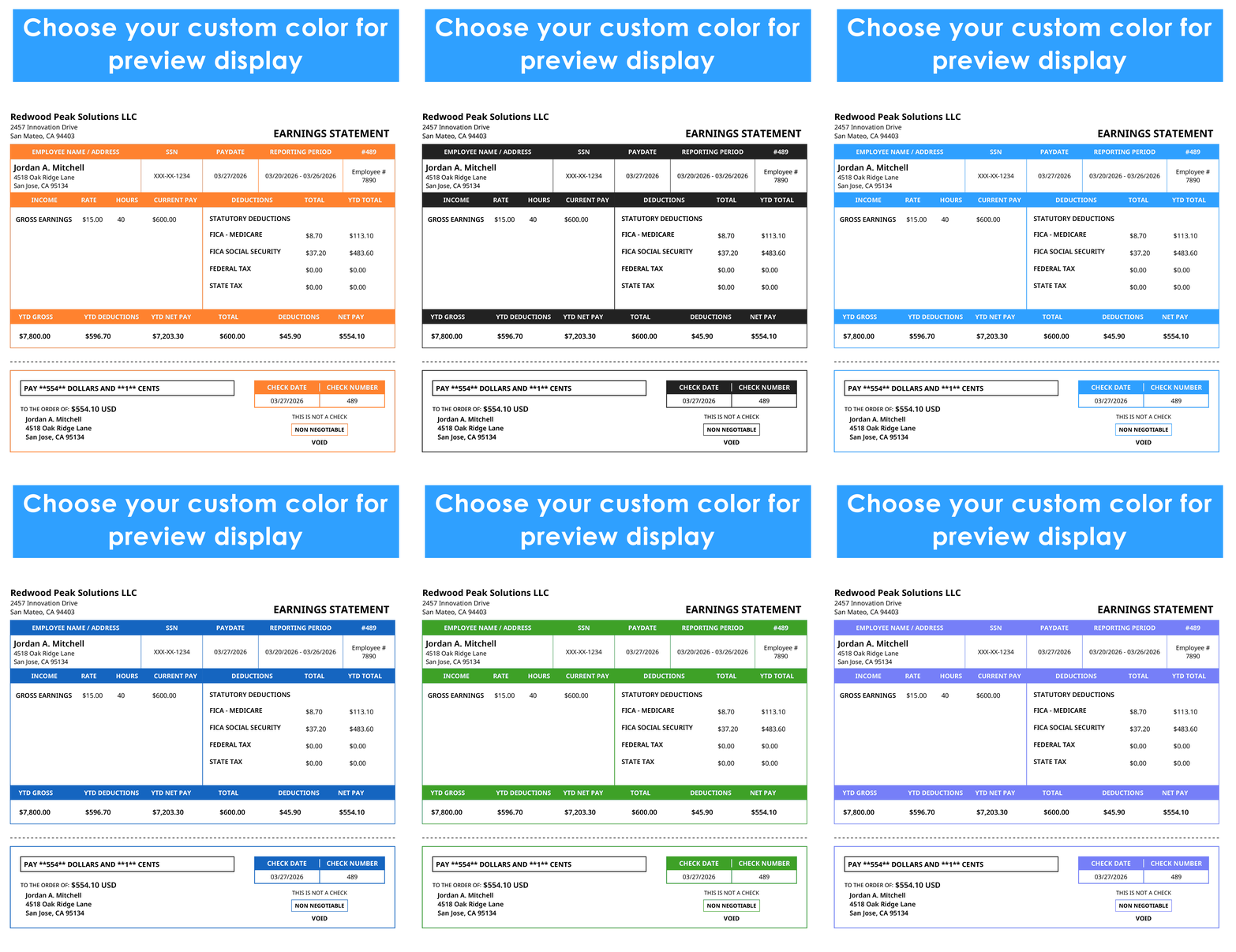
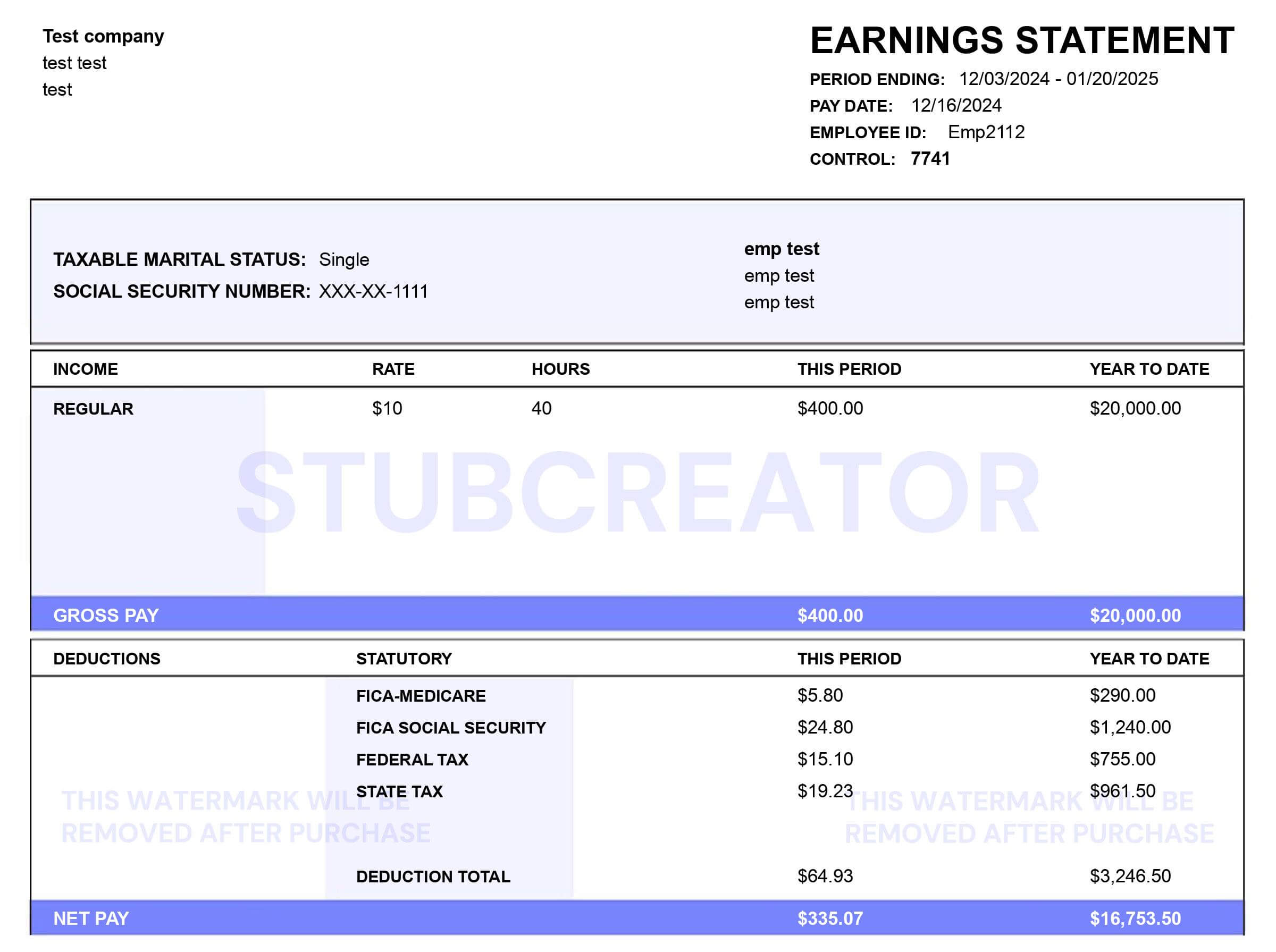
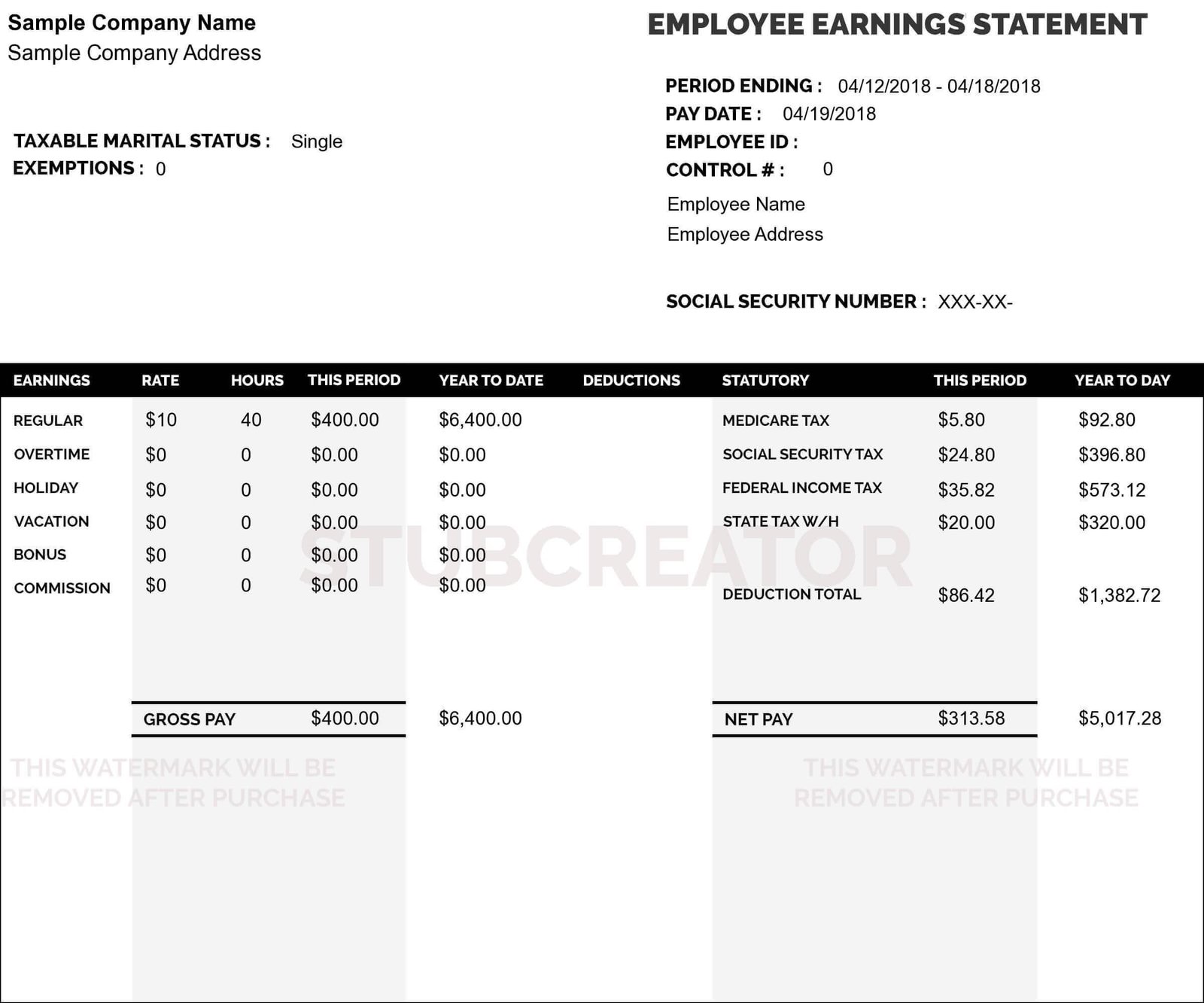
If your credit score is lower, your earnings are the main thing that the banks look at while considering your application for an auto loan. With eFormscreator, generate a free paystub

In this blog, we shall understand how banks can verify income for auto loan and much more. So, without further ado, let’s begin.

Why Do You Need Proof Of Income?

While applying for a loan, generally, banks do not need proof of your income to approve your loan. While applying for an auto loan, remember these three factors:

  • Credit Score
  • Down Payment
  • Debt-To-Income Ratio

If a customer applies for an auto loan with bad credit, lenders request proof of income and employment information to make sure that the customer can afford to pay the car payments on time. If you have an excellent credit score, the bank will mostly not ask you for proof of income as these factors tend to lower the risk of the lenders.

When determining your income, the lender considers your debt-to-income ratio. Your debt-to-income ratio is the actual amount of debt you carry as compared to your debt.

This debt might include a mortgage, student loans or even an auto loan. Generally, a good debt-to-income ratio proves that you have sufficient income to cover up your existing debt as well as the new auto loan.

Generally, there is a limit on how much total debt you can carry from the lender’s POV, and the maximum debt-to-income ratio that the banks accept can vary.

The minimum income required in order to qualify for an auto loan shall vary, but most of the lenders choose the applicant to have at least $1,500 to $2,000 in monthly income before taxes.

What Do You Need To Verify Income for an Auto Loan?

To verify your income for an auto loan, you might need to provide your lender with your latest W2 form. Make sure that the lenders might call your employers to verify that you’re currently employed with them.

If you’re a freelancer, you will have to provide a copy of Schedule C return.

How Banks Can Verify Income For Auto Loans?

Traditional Employment: If you’re an employee with a firm that receives a W-2 each year, the loan approval process is fast and smooth as long as you meet the minimum income requirement. Banks might ask you to see as many as your three last pay stubs to verify your income. No matter whether you’re a full-time or a part-time employee.

Generally, the banks might contact your employer by themselves to verify your income and employment status, which would speed up the loan approval process.

Self-Employed: In case you’re a self-employed individual, the process might be a little complicated. You will have to provide the most recent copy of your Schedule C. The higher your business income, the more chances are there that you shall pass your income verification for an auto loan with flying colours.

If you’re a self-employed individual, income verification can take a long time as banks have to verify your documentation. To avoid delays, you want to continue seeking a pre-approval before signing a dealership.

Unemployed: If you’re a unemployed individual, you still have to qualify for an auto loan, however the process is more daunting. Lenders might request additional documents related to your income streams. For example, if you are retired, you will be required to show copies of your Social Security Statements, 1099-Rs, as well as your most recent tax return.

For example, you haven’t retired yet but are unemployed, lenders might keep a watch on you as a high risk as they don’t know what would happen if unemployment insurance runs out before you get a new job.

You might need to verify your income for an auto loan if:

  • You have an excellent credit score.
  • You have a considerable down payment.
  • You have been working at the same job for an ample number of years.
  • You are applying for an auto loan and the same financial institution that your paycheck gets.

Conclusion

Applying for an auto loan is a long process, but it comes with unexpected obstacles. Having a basic understanding of what the lenders look for while approaching the applicants can give you an idea of what you can expect and that will help you get the relevant information together. eFormscreator  is a free tool which provides you with free pay stubs that not only saves your time but also makes sure that you have been covered from all sides for an auto loan.

Self-Employed? Here’s How To Show Proof Of Employment

Oct 12th, 2023

It is an easy task for full-time, contracted employees to deliver a proof of employment. All they need to do is ask the HR department at their firm for a copy.

Self-employed might not be able to show a proof without any help. Verifying employment is crucial when applying for a personal loan. In this blog, we will be covering how to show proof of employment if you’re self-employed individual.

Who is eligible to be a Self-Employed Individual?

Self-employed, commonly known as Independent Contractor report self-employment income. If you’re self-employed, you will work for yourself rather than for an employee.

As stated by the IRS, a self-employed individual is someone who:

  • Partakers in trade
  • Is part of a partnership in a trade
  • Is in business for themselves

Self-employed individuals may work for:

  • Writer
  • Editor
  • Designer
  • Salespeople
  • Construction Workers

What is a Proof of Employment?

Proof of employment is a form of document that hires companies to request to confirm an individual’s work history.

Below mentioned are the common reasons why a third party might want to verify your employment which include:

Loan Applications: If you are trying to apply for a loan, the lender will want to see whether or not you will be able to pay back their money which is based on your monthly income.

They might also want you to provide a proof of your employment. Once this is understood, the lenders shall establish how the repayment can be scheduled in terms of loans.

Applying to Rent: Many property owners rent out their houses and want to make sure that the new tenants will be able to afford the rent or not.

For example, are you going to work somewhere else or on the property itself? The proof of employment helps the landlord get a better understanding of your employment and if you have a stable income in order to cover the rent.

Searching for Another Job: If you’re looking for another job, salary negotiations will inevitably happen, and the interviewer will ask about your current salary, which they shall take into consideration. This will give the employer a brief overview of your past employment status.

Credit Card Applications: Finacial Institutions depend upon various factors when they consider requests for credit cards, which include the applicant’s current employment and salary. Proof of your employment shows credit companies that you will be able to meet your debt goals and their payments in a timely order.

How to Show Proof of Self-Employment?

HR departments at large companies have to deal with proof of employment and also have a system in place to issue these documents. However, if you’re a self-employed individual, you might need to generate these documents yourself in order to show a proof of your employment.

Annual Tax Returns: Form 1099-NEC is a tax document which is used to report the income earned by independent contractors. Firms are required to file a copy of Form 1099-NEC with the IRS and to send a copy to the independent contractor. This is because the IRS must know that how much tax revenue they can expect from a self-employed individuals. It is important to note that the independent contractor who has earned more than $600 from a business shall receive a Form 1099-NEC.

Form 1099-NEC is used for showing verification of your income. It provides physical proof of self-employed earnings, the amount earned, and where it came from. 31st January is the deadline to submit independent contractors with a copy of their Form 1099-NEC. It is also the deadline for providing the employees with a W-2 form.

Pay Stubs: A pay stub is a written document that showcases how much a person is earning during a specific pay period. There are different ways via which a self-employed worker can receive and create pay stub. One choice is to contact the HR department at the firm where you have provided services.

For a self-employed individual, this is the basic information listed on a pay stub:

  1. The name of the firm that provides the service for
  2. Independent Contractor’s Job Title
  3. Number of hours worked during a pay period
  4. The total wages paid before the self-employed worker’s deductions made
  5. State, Federal, and Local taxes withheld from an individual contractor’s gross earnings

Pay stubs are important because they can provide proof of income and employment for self-employed individuals.

Bank Statements: Bank Statements, commonly known as account statements- are documents that are typically sent by a financial institution to their account holder each month.

This account statement is a history of all the transactions that the account holder makes during a particular period of time. The statement contains bank account information like account numbers detailed list of the holder’s total income and expenses.

For lender and financial institutions, a bank statement can be the proof of the employment and can afford to meet their repayment dues on time.

Employment Verification Letter: An employment verification letter is the kind of document which is written by a current employer who confirms the employment status of the current employee. Potential employers and other various government agencies can request an employment verification letter.

Conclusion

So, now you know that if you’re a self-employed individual and need a loan for a car, showing a letter of self-employment as proof of income this should not be a problem for you and in case you need to create paystub, we have our very own free paystub generator for you to generate a pay stub easily.

How To Easily Get A Copy Of Your W2 Form?

Oct 11th, 2023

As an employee, you can expect your employer to provide you with a W-2 tax form at the beginning of the year, which shall list down the earnings from your previous year’s employment.
There might be times when you need a copy of an old W-2 form from your previous job. So, we should keep copies of all of our tax documents. It only sometimes goes down the right path. In this blog, we will be listing down how easily you can get a copy of your W2 form. So, without further ado, let’s begin!

Reasons to Retrieve Your Old W-2 Form

There are various reasons why you should retrieve your old W-2 form.

Filing Back Tax Returns: The IRS keeps track record of the taxpayers who are required to file their taxes but don’t file their taxes, which might result in the IRS coming after you for not filing the back taxes.
Applying for Loan: While applying for loans, you might be required to show proof of your income for the past few years, which means they might request you to show them your previous year’s W-2 form.
Legal Reasons: You need to document transactions for different types of legal proceedings.
Tracing Income History: You might have to provide your income history for various reasons. You can also view details such as how much you have contributed towards your retirement plan.

How to Get a Copy of the Old W-2 Tax from an Employer?

For this task, you have a couple of functions at your disposal, but before you request them, you have to figure out for which year you need the form and whether you need the W-2 tax form from multiple years. If you’re in touch with your old employer, you may request a copy of your old W-2 tax form from payroll.
If you’re unable to contact your former employer, there is a more easier way to retrieve your W-2 tax form: via the IRS. IRS has had W-2s for the past ten years, so they are likely to have what you need.
Clues for obtaining your W-2 tax form

  • To avoid getting in touch with the IRS, save all of your W-2 documents in a secure safe so that you can access them with ease when you need them.
  • In case you need a tax professional to complete your taxes, you can contact them.

W2-form-CTA

Conclusion

Keep copies of your W2 tax form in case you need them in the future. If you find one of your W-2 forms missing, you can request it from the IRS via different methods. If you want to generate a W-2 form, use our free W-2 generator and enjoy the benefits of it.

Creating pay stubs If You’re Self-Employed

Sep 27th, 2023

If you’re self-employed, your main focus will be securing new consumers and delivering a quality product. However, there is more to growing your business, including payroll-related issues. Use our free paystub generator to generate professional-looking pay stubs to maintain productivity.

Understanding Pay Stubs

Pay stubs are the key to all the crucial employee pay information. While reviewing a pay stub, it is important to note the difference between the current pay period and the year-to-date amount. Both are important as the employer and the employee understand if the amount is correct.

The pay stub provides wages, tax withholdings, and benefit withholding information.

Self-employment pay stubs do not have any withholdings from their pay.

You can issue a pay stub to a contractor who lists out the gross amount paid, and the contractor can use the pay stubs for contractors to prove his earnings to the lender.

The rules and regulations regarding pay stubs vary from state to state. Most states must provide pay information to workers, while others do not. Businesses should make a confirmation statement of the requirements in each state where they employ workers.

Employees should keep their most recent pay stubs as a proof of income. If an individual employee applies for a loan, the pay stub confirms the borrower’s gross income. Employers should keep pay stubs on their file if it’s generated.

Information Required to Create a Pay Stub

Keep in mind to check the following things:

  • Payroll Cycle: The number of pay periods decides how much salary is paid on each payroll date.
  • Wages: Gross and net pay. Wages may be based on the employee’s compensation or calculated upon the hourly pay rate.
  • Tax Withholding: Federal, State, and local amounts withheld for taxes.
  • Benefit Withholding: Amount withheld for employee’s share of insurance premium.

How to Calculate Net Pay?

For example, Janet’s annual income is $5,000, and your company processes payroll 26 times yearly. Julie’s gross wages each pay period total $5,000/26 or $1,923 pay per period.

Based on her allowances on the W4 forms, the company should withhold 20% of her gross pay for federal taxes and 5% for state taxes. Janet also pays $50 each pay period for her shares of the company’s health insurance plans.

Janet’s net pay is $1,923, less than $480 for taxes and $50 for her health insurance premiums. Her net pay is $1,393.

The pay stub will include all of the information as mentioned above for the current payroll period and year-to-date. The pay stub that you generate also includes unemployment tax payments. Hourly workers need details on their total hours worked and any hours paid as overtime wages.

ree-pay-stubs-generator-CTA

Should you be Paying Yourself Like an Employee?

A Pay stub demonstrates that your company pays you regularly just like any other employee, meaning that the Federal, State, Social Security, and Medicare taxes are withheld from your paychecks.

The withholding amount keeps you in check with the taxes owed at the year’s end; it is easier to withhold from each paycheck. The pay stubs showcase regular income.

This is important if you’re applying for a loan. Self-employment pay stubs generally have a shift via extra hoops to prove stable earnings. If you have a pay stub and a W-2 form, which your company generates at the end of the year, you can show consistency of income.

Conclusion:

eFormscreator provides you with a free pay stubs generator, which is user-friendly, and takes less time in generating pay stubs. Use eFormscreator to create pay stubs and streamline your process.

A Step-By-Step Guide To Filling Out The W2 Form

Sep 25th, 2023

A W-2 tax form is a simple and a genuine form. You enter Information which is already available from payroll and personnel records. You will need clear Information about your business, like an Employer Identification Number and a State ID number.

The fields on each W2 form are actually the same. However, the employees fill out the forms differently depending on factors like in which state they operate their business and whether or not there are tax-exempted benefits.

The huge challenge of filing a W-2 tax form is to avoid errors while entering names and numbers in the field. Always double-check the boxes to ensure you haven’t joined the wrong figures or misspelt any employee’s name or address.

Let us break down the whole W-2 form online for you to understand it perfectly, providing a brief explanation wherever necessary.

Letter Fields (A-F)

The letter fields, which are located on the left-hand side of the W-2 tax form, provide you with a general identification for both the employer and the employee.

An omission is the state ID number, which goes in the numerically labelled box at the bottom of the form, along with other state and local tax information.

Field a: Employee’s Social Security Number

Nine digits of the employee’s social security number for whom the W-2 tax form is being generated.

Field b: Employer Identification Number (EIN)

An Employer Identification Number is a unique nine-digit number the IRS assigns to businesses. You, as an employer, must have your EIN to hire employees.

Field c: Employer’s Name, Address and Post Code

You need to insert the full and legal name of the employer. Also, you need to insert the complete address of your business, including the postal code.

Field d: Control Number

A control number identifies employees’ unique W-2 in the company’s records. Your company’s payroll processing software automatically crafts out the numbers.

Field e-f: Employee’s Name, Address and Zip Code

Enter the current address of the employer. Please double-check whether the Information is correct or not.

w2-form

What is a W-2 Form Online?

A W-2 form online is a document that an employer must send each employee and the (IRS) Internal Revenue Service at the end of the year. A W-2 tax form states an employee’s annual wages and the amount of taxes withheld from their paychecks.

Who files a W-2 Tax Form?

An employer must legally send a W-2 tax form to every employee to whom they paid a salary, wages or any other form of allowance. This does not include contractors or self-employed individuals who file their taxes differently.

The employer must send the form to all employees by January 31st each year so that employee has sufficient time to file their taxes before the deadline arrives.

By the end of January, employers must file the previous year’s W-2 form along with Form W3 for every employee with the Social Security Administration (SSA).

Read More: Guide to Filing Your 1099-MISC Form Online

What Information Does a W-2 Online Form Include?

Each W-2 form has the same required fields regardless of the employer. W-2 tax form are divided into state and federal sections, though employees file taxes at both levels.

Some field provides the employer’s Information, including the company’s Employer’s Identification Number (EIN) federal and the employee’s state ID number.

An employee’s total earnings from the employer for the year are recorded, and the amount withheld in taxes from the employee’s paychecks is separated into the withholding for federal tax, state tax and more.

The IRS uses the W-2 tax form to track an employee’s income and liability. If the income reported on the employee’s taxes does not match the income reported on the W-2 form, the IRS might call them for an audit.

W2-form-CTA

Conclusion

A W-2 tax form is an IRS form the employers shall send to an employee and the IRS every year. The W-2 form online reports an employee’s annual earnings and the taxes withheld.
If you need to make a W-2 form use our free W2 form generator to generate professional-looking W-2 tax forms for your employees.

Understanding Your Pay Stub: All About YTD

Sep 08th, 2023

No matter you’re a business creating paystubs or an employee who receives paystubs every month, the different YTD abbreviations on a paycheck stub might be confusing. Understanding YTD is a crucial task that makes sure that the deduction and insurance contribution on a pay stub is authentic. So, in this article, you will understand and learn the various abbreviations of YTD paystub.

What does YTD mean?

On an employee paystub, YTD paystub represents the employee’s total income, their deductions, less their deductions. This includes:

  • Social Security
  • Health Insurance
  • Retirement Plans

Why is YTD so Important?

1- For Employers:

YTD amount allows employees to assay the amount of money they will spend on an employee payroll expenses during a specific year. These amounts often include money paid to the independent contractor- these are self-employed individuals hired for one job.

Business owners use this information in order to compare their year-to-date payroll expenses to the total budget of the company. By knowing what is the employee’s gross income it helps employers in:

  • Deciding if employees are compensated equally
  • Determine if the business will be able to afford new hiring
  • Make sure that the compliance with state-specific or national tax

YTD amount helps business estimate that if they will be able to meet their deadlines and their projected growth target for a year and helps in predicting their yearly tax liabilities. This is the total amount of tax a business owes for a specific period of time.

2- For Employees & Independent Contractors

YTD amount are very crucial as they are useful for telling employees abnd independent contractors how much they havre earned in a particular year.

YTD and Paystubs

The YTD NET abbreviation on a paystub ytd defines the total amount of income and taxable deductions for each and every employee. Since a payroll system can sometimes go wrong, it is important for employees to make sure that the amount on their paystub is authentic throughout the year. If they are wrong and the employee ends up paying you less taxes, then they may owe a huge amount of money to the IRS to rectify that error.

Read More: Everything You Need to Know about Free Paystub Generators

How to Calculate the YTD amount on a Paystub?

Calculating a YTD is simple if you know what to look for on your paystub. Let’s take a look at it:

Step 1: Gather all the Information: If you’re an employee and want to calculate YTD you need to know the following things:

  • Pay period or number of months you want to calculate the YTD for
  • Your monthly earnings subtract the deductions on the paystub that you have received from your employer

Step 2: Calculate your YTD: Use the information and multiply the two values in order to calculate YTD. Example, YTD for an employee will be: $10,000 X 12 months = $120,000 YTD.

As an employer, YTD for your business payroll works the same way except you’ll add the employee’s annual wages together.

Example, if employee A earns $120,000 on an annual basis and employee B earns $100,000 the business payroll’s YTD amount will be: $120,000 + $100,000 = $220,000.

What if I don’t receive a Paystub?

In several cases employers are not required to provider their employees with a monthly paystub. But you still can calculate YTD the same way when you would have paystubs.

The time duration now would be flexible.

Example, if you want to calculate YTD for someone who has only worked for two pay periods and earned $1,000 per period your calculation would be following:

$1,000 X 2 = $2,000

In order to calculate YTD for the current payroll date if your business do not issue paystub you will be following the same steps as mentioned in the previous section.

So, you will add the annual year-to-date wages for each employee together.

Example, if an employee A earns $130,000 and employee B eanrs $110,000 on a business payroll the calculation would be like this:

$130,000 + $110,000 = $240,000

Generate Paystubs with Free PayStub Generator EformsCreator

In order to make sure that the employees income and deductions are made perfectly, they need to understand the different terms mentioned on their ytd paystub. For employers being able to calculate the specific YTD amount is a part of running a successful and smooth business.

If you’re looking for an easy, affordable and a simple user-interface free paystub generator to generate accurate YTD amount, Eformscreator is the perfect tool for you. Our simple to use and user-friendly software allows you to generate hassle-free paystub in few minutes.

Conclusion

YTD stands for year-to-date and is used for reporting an employee’s yearly earnings, taxable deduction and other contributions. Employees can use YTD to track how much the business is spending on an individual’s payroll and how much is using the amount to decide on the expenses for a particular year. And if you want to generate paystub from a reliable and a free paystub generator EformsCreator is your choice!

Maximizing Your Tax Savings with the W-4 Form Online

Jun 05th, 2023

Navigating the complex world of taxes can be daunting, but understanding how to maximize your tax savings is crucial. One powerful tool at your disposal is the W-4 form. The W-4 form allows you to determine how much federal income tax is withheld from your paycheck. By optimizing this form, you can minimize your tax liability and potentially increase your tax savings.

This article will explore the benefits of using the W-4 form online and provide valuable tips to help you maximize this opportunity.

Tips for Maximizing Your Tax Savings with the W-4 Form Online

Understanding the W-4 Form

Before diving into the advantages of using the W-4 form online, it’s essential to understand its purpose and how it affects your taxes. The W-4 form is a document that employees complete to inform their employers how much federal income tax should be withheld from their paychecks. The information provided on the W-4 form helps employers calculate the appropriate tax withholding amount based on your filing status, dependents, and other factors.

The Benefits of Using the W-4 Form Online

Thanks to technological advances, the W-4 form can now be completed online, making the process more efficient and convenient.

Here are some of the benefits of using the W-4 form online:

A) Easy Accessibility

Online W-4 forms are readily available on the Internal Revenue Service (IRS) website, allowing you to access and complete them anytime from the comfort of your home or office.

B) Updated Information

The online W-4 form is frequently updated to reflect the latest tax laws and regulations. This ensures that you have access to the most accurate and relevant information when determining your tax withholding.

C) Enhanced Guidance

The online form often provides helpful instructions and explanations, making it easier to understand the implications of your choices and optimize your tax savings.

D) Calculator Tools

Many online platforms provide built-in calculators to help you estimate your tax liability and adjust your withholding accordingly. These tools consider various factors, such as income, deductions, credits, and filing status, allowing you to fine-tune your withholding and potentially maximize your tax savings.

Tips for Maximizing Tax Savings with the W-4 Form

Now that we have established the advantages of using the W-4 form online, let’s explore some practical tips to help you maximize your tax savings:

A) Review Your Filing Status

Your filing status, such as single, married, filing jointly, or head of household, can significantly impact your tax liability. Ensure you select the most appropriate filing status to optimize your tax savings. If you have experienced a significant life event, such as marriage or divorce, updating your filing status is crucial.

B) Claim All Deductions and Credits

The W-4 form allows you to claim deductions and credits that can reduce your taxable income. Consider all eligible deductions, such as student loans or mortgage interest, and credits like the Child Tax Credit or the Earned Income Tax Credit. These deductions and credits can effectively lower your tax liability.

C) Account for Multiple Jobs or Working Spouse

If you or your spouse hold multiple jobs or if you both work, accurately calculating your tax withholding becomes essential. Completing the multiple jobs worksheet provided on the W-4 form helps ensure that the correct amount of tax is withheld collectively from all your sources of income.

D) Adjust for Life Changes

Life circumstances change, and it’s important to update your W-4 form accordingly. If you have a child, get married, or experience other significant changes, update your withholding information to reflect these adjustments. This will prevent under or over-withholding and help you avoid surprises during tax season.

E) Regularly Review and Update

Tax laws and personal circumstances can change over time. Reviewing your W-4 form periodically to ensure it accurately reflects your current situation is wise. Consider revisiting your form at least once a year or whenever significant changes occur, such as income or dependents.

F) Seek Professional Advice

If you have complex tax situations or are unsure how to optimize your withholding, consider consulting a tax professional. They can provide personalized guidance tailored to your circumstances and help you make informed decisions to maximize your tax savings.

Conclusion

Taking advantage of the W-4 form online can significantly impact your tax savings. By understanding the form, utilizing online resources, and following the tips provided, you can optimize your withholding and potentially increase your tax savings. Remember to stay informed about tax law changes and regularly review your W-4 form to ensure it aligns with your current situation.

With a proactive approach, you can maximize your tax savings and put more money back in your pocket. Empower yourself with the knowledge and tools to make the most of the W-4 form and take control of your tax obligations.

Read Related: A Step-by-Step Guide to Filing Your 1099-NEC Form Online

A Step-by-Step Guide to Filing Your 1099-NEC Form Online

Jun 04th, 2023

Filing taxes can be complex, especially for independent contractors and freelancers who receive income outside of traditional employment. If you’ve earned income as a non-employee and have been issued a Form 1099-NEC, you must ensure accurate reporting to comply with IRS regulations. The advent of online tax filing platforms has made the process significantly easier.

This step-by-step guide will walk you through filing your 1099-NEC form online, simplifying the tax reporting experience and saving you valuable time.

Step 1: Gather Your Information

Before diving into the online filing process, gathering all the necessary information is crucial. Start by collecting your Form 1099-NEC, which should be provided to you by the payer of your non-employee compensation. Also, ensure you have your Social Security number or Employer Identification Number (EIN), along with any relevant receipts or documents related to your income and expenses.

Step 2: Choose an Online Tax Filing Platform

A reliable online tax filing platform is essential for a smooth filing experience. Several reputable platforms, such as TurboTax, H&R Block, and TaxAct, offer user-friendly interfaces and comprehensive support for filing 1099-NEC forms. Compare the features, pricing, and customer reviews of different platforms to find the one that best suits your needs.

Step 3: Create an Account

Once you’ve chosen a tax filing platform, create an account on their website. This will typically require providing your email address and creating a secure password. Some platforms may offer options for signing in using your Google or Facebook accounts, simplifying the registration process.

Step 4: Start a New Return

After logging into your account, look for an option to start a new tax return. Choose the appropriate tax year and select the option for self-employment or independent contractor income.

Step 5: Enter Personal Information

Next, you must enter your personal information, such as your name, address, and Social Security number or EIN. Ensure you provide accurate information to avoid delays or errors in your tax filing.

Step 6: Input Income Details

In this step, you will enter the details of your non-employee compensation as reported on your Form 1099-NEC. The platform will guide you through entering the payer’s information, the amount of compensation received, and the associated tax withholdings, if applicable. Double-check the information to ensure accuracy.

Step 7: Report Deductions and Expenses

If you have any eligible deductions or expenses related to your self-employment income, the online tax filing platform will provide a section for reporting them. Common deductible expenses include office supplies, travel expenses, and professional services. Keep all supporting documentation handy to substantiate your claims.

Step 8: Review and Finalize

Before submitting your tax return, thoroughly review all the information you have entered. Check for any errors or omissions and make any necessary corrections. Once you are satisfied with the accuracy of your return, proceed to the finalization step.

Step 9: Electronically File Your 1099-NEC Form

Most online tax filing platforms allow you to file your return electronically with the IRS. Follow the platform’s instructions to transmit your 1099-NEC form securely. Take note of any confirmation or reference numbers provided to ensure you have a record of your submission.

Conclusion

Filing your 1099-NEC form online offers convenience, accuracy, and time-saving benefits. By following this step-by-step guide, you can navigate the process with confidence. Remember to gather all the necessary information, choose a reputable online tax filing platform, and carefully enter your income and expense details.

With the right preparation and attention to detail, you can file your 1099-NEC form seamlessly, ensuring compliance with IRS regulations and avoiding potential penalties. Embrace the advantages of online tax filing and simplify your tax reporting experience as an independent contractor or freelancer.

Read  Related: The Benefits of E-Filing Your W3 Form Online

The Benefits of E-Filing Your W3 Form Online

Jun 03rd, 2023

The W-3 form is essential to summarize employee wages and tax withholdings for the entire year. Traditionally, businesses had to complete and mail physical copies of the W-3 form to the Social Security Administration (SSA). However, e-filing the W-3 form online has become increasingly popular with technological advancements.

This comprehensive guide will explore the benefits of e-filing your W-3 form online, highlighting the convenience, efficiency, accuracy, and cost savings associated with this method.

Benefits of E-Filing Your W3 Form Online

Section 1: Understanding the W-3 Form

We will provide an overview of the W-3 form, its purpose, and its significance in employee wage reporting. Understanding the form’s requirements and its information is crucial for successful e-filing.

Section 2: Overview of E-Filing

This section will explain the concept of e-filing and how it has revolutionized the process of submitting the W-3 form. We will discuss the electronic submission methods available and highlight the advantages of e-filing over traditional paper filing.

Section 3: Convenience and Time-Saving

Benefits E-filing offers significant convenience and time-saving benefits. We will explore how electronic submission eliminates the need for printing, mailing, and manual data entry. Additionally, we will discuss features such as auto-population and import capabilities, simplifying the process and reducing the time required for filing.

Section 4: Accuracy and Error Reduction

Accuracy is crucial when it comes to tax reporting. E-filing provides built-in validation checks that help identify errors or missing information before submission. We will explain how these checks contribute to increased accuracy and help minimize the risk of penalties or rejections.

Section 5: Immediate Confirmation and Status Updates

One of the advantages of e-filing is the instant confirmation and status updates. We will discuss how e-filing platforms provide immediate feedback on accepting or rejecting your submission, allowing for the timely resolution of any issues that may arise.

Section 6: Cost Savings and Environmental Impact

E-filing offers cost savings compared to traditional paper filing methods. We will examine how e-filing eliminates paper, printing, postage, and storage expenses. Furthermore, we will highlight the positive environmental impact of reducing paper consumption.

Section 7: Security and Data Protection

Security is a top concern regarding the electronic submission of sensitive information. We will address the security measures implemented by e-filing platforms to protect your data and discuss the benefits of secure transmission and storage.

Section 8: Step-by-Step Process for E-Filing the W-3 Form

This section will provide a detailed step-by-step guide on how to e-file the W-3 form. We will cover the registration process, form preparation, data entry, and submission, ensuring readers understand the e-filing process comprehensively.

Section 9: Common Challenges and Troubleshooting

Tips While e-filing offers numerous benefits, challenges or issues may arise during the process. We will address common challenges and provide troubleshooting tips to help readers overcome potential hurdles.

Section 10: Summary and Conclusion

The final section will summarize the key benefits of e-filing the W-3 form online, emphasizing the convenience, efficiency, accuracy, cost savings, and security advantages. By embracing e-filing, businesses can streamline their reporting process, reduce errors, and contribute to a more sustainable environment.

Conclusion

E-filing the W-3 form online offers businesses numerous advantages, including convenience, time savings, accuracy, immediate confirmation, cost savings, enhanced security, and reduced environmental impact.

By leveraging electronic submission methods, businesses can simplify their reporting processes, ensure accuracy, and comply with regulatory requirements. Embracing e-filing is a win-win, benefiting both businesses and the environment.

Read Related: A Comprehensive Guide to Filing Your 1099-MISC Form Online

A Comprehensive Guide to Filing Your 1099-MISC Form Online

Jun 02nd, 2023

If you’re a freelancer, independent contractor, or small business owner who pays or receives non-employee compensation, you may be familiar with the 1099-MISC form. Filing your 1099-MISC form accurately and on time is crucial to comply with tax regulations. With the convenience of online filing, the process has become much simpler and more accessible.

This comprehensive guide will walk you through the step-by-step process of filing your 1099-MISC form online, ensuring a hassle-free experience.

Guide to Filing Your 1099-MISC Form Online

Section 1: Understanding the 1099-MISC Form

The 1099-MISC form reports income paid to individuals or businesses not classified as employees. It is essential to understand the purpose of the form and the types of payments that should be reported, such as non-employee compensation, rent, royalties, and more.

Section 2: Gather Required Information

Before you start filing your 1099-MISC form online, gathering all the necessary information is crucial. This includes the payer’s and recipient’s details, including name, address, and tax identification numbers. You’ll also need to collect information related to the payments made, such as dates and amounts.

Section 3: Choosing an Online Filing Method

There are various online platforms available for filing your 1099-MISC form. We will discuss popular options and compare their features to help you make an informed decision. Consider factors such as user-friendliness, cost, security, and customer support.

Section 4: Creating an Account

Once you have chosen an online platform, you must create an account. We will guide you through the account creation process, including providing necessary personal and business details and ensuring the security of your account.

Section 5: Entering the Payer Information

In this section, we will explain how to enter the payer’s information accurately into the online form. This includes the payer’s name, address, and tax identification number. We will also discuss any additional details specific to your business.

Section 6: Entering the Recipient Information

Next, we will guide you through entering the recipient’s information, including their name, address, and tax identification number. We will provide tips on handling situations where you have multiple recipients or if the recipient’s information is not readily available.

Section 7: Reporting Non-Employee Compensation

Non-employee compensation is a significant component of the 1099-MISC form. We will explain how to report this information accurately, including the amount paid, payment dates, and any backup withholding information.

Section 8: Reporting Other Income

In addition to non-employee compensation, the 1099-MISC form allows for reporting various other types of income, such as rent, royalties, and prizes. We will provide guidelines on accurately reporting these types of income and where to enter the information in the online form.

Section 9: Filing and Submitting the Form

Once you have entered all the required information, it’s time to review the form for accuracy and completeness. We will guide you through filing and submitting the 1099-MISC form online, ensuring you follow the correct procedure.

Section 10: Retaining Copies and Deadlines

We will emphasize the importance of keeping copies of your filed 1099-MISC forms for your records. Additionally, we will provide an overview of the deadlines for filing and distributing the forms to recipients, ensuring you stay compliant with tax regulations.

Section 11: Summary and Conclusion

In this final section, we will summarize the key points covered in the guide and highlight the benefits of filing your 1099-MISC form online. We will also encourage readers to seek professional advice if they have specific questions or complex situations.

Conclusion

Filing your 1099-MISC form online has simplified the process, allowing freelancers, independent contractors, and small business owners to comply with tax regulations efficiently. By following this comprehensive guide, you can confidently navigate the online filing process, ensuring accuracy and timeliness.

Remember to gather all the necessary information, choose a suitable online platform, accurately enter payer and recipient details, report non-employee compensation and other income, and file and submit the form on time. With this guide, you can easily handle your 1099-MISC filing obligations.

Read Related: 10 Reasons Why You Should Use an Eviction Notice Generator